> ## Documentation Index
> Fetch the complete documentation index at: https://docs.aseeflow.org/llms.txt
> Use this file to discover all available pages before exploring further.
# Model, Evaluate, and Deploy a Decision Requirements Graph
The visual representation of a Decision Requirements Graph (DRG) is called a Decision Requirements Diagram (DRD).
## Switch from decision table to DRD
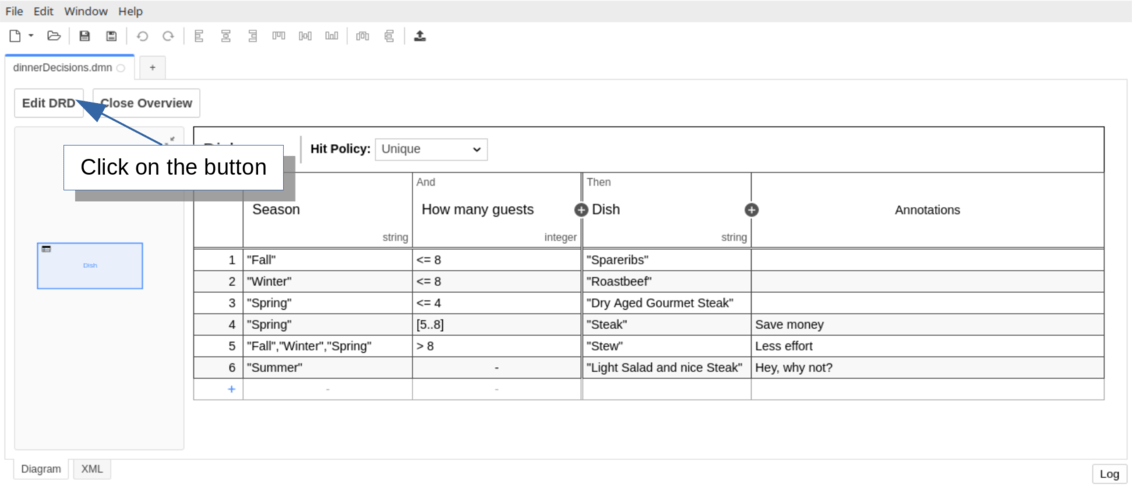
Open the existing *Dish* decision table and click *View DRD* to access the Decision Requirements Diagram view, which displays a single decision named *Dish*.
## Set the name and the id of the DRD
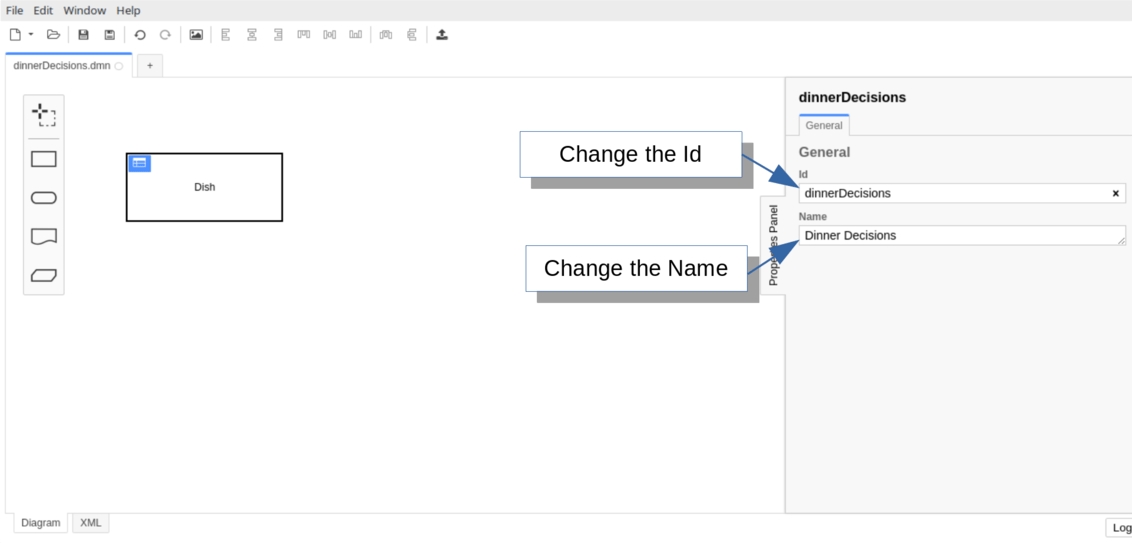
Click the canvas and open the properties panel. Update the [id](/reference/dmn/drg#decision-requirements-graph-id) to `dinnerDecisions` and the [name](/reference/dmn/drg#decision-requirements-graph-name) to *Dinner Decisions*.
## Create a new decision in the DRD
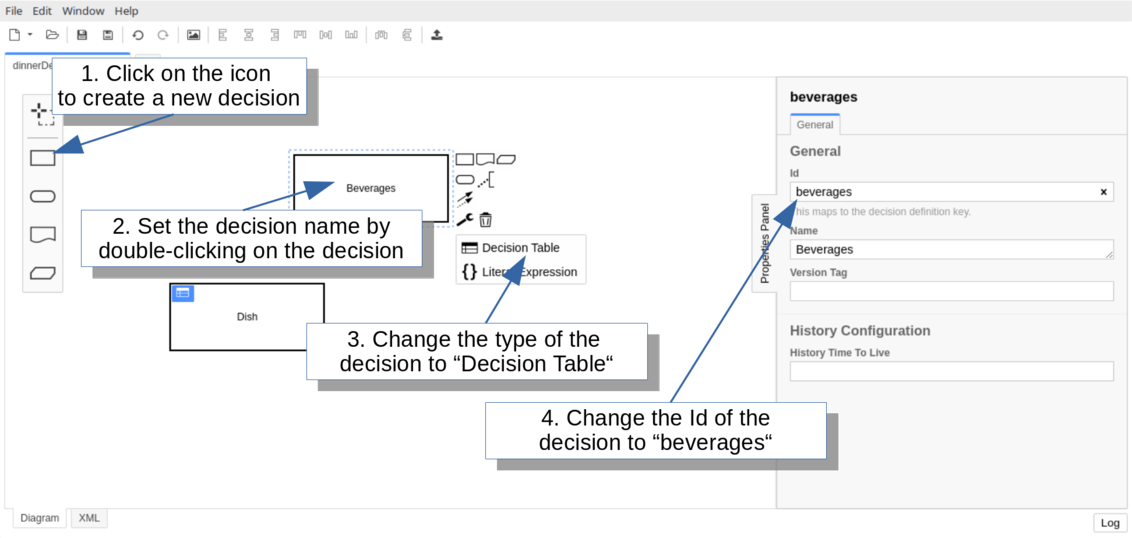
Select the decision icon from the palette to add a new decision. Name it *Beverages* and set its type to *Decision Table* using the wrench icon. Configure the id as `beverages` via the properties panel.
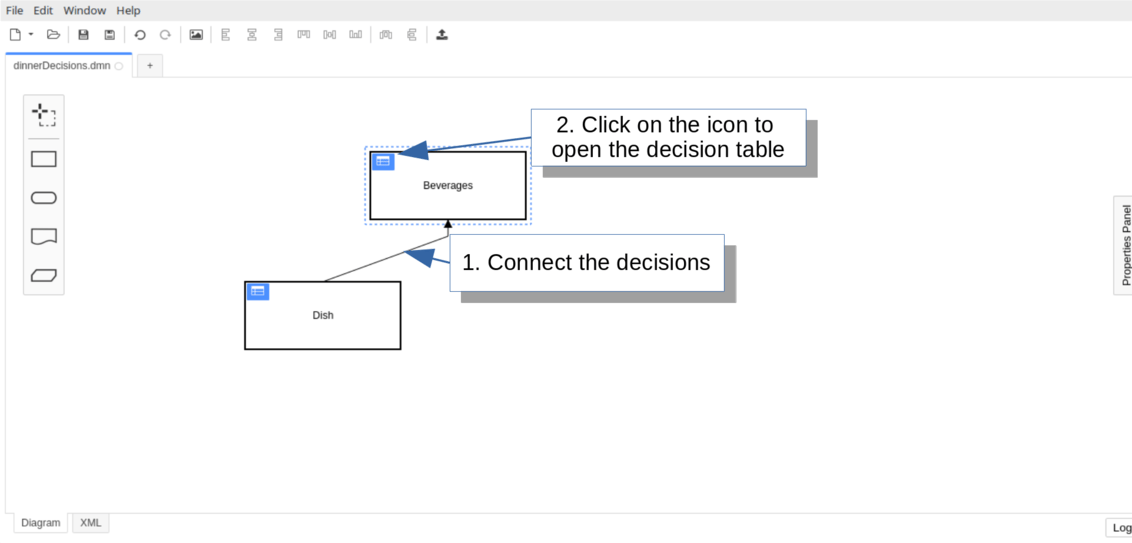
Connect the *Dish* decision to *Beverages* to indicate that *Dish* is a [required decision](/reference/dmn/drg#required-decisions) providing input for the beverages evaluation.
## Configure the decision table and add the rules
Set up the *Beverages* decision table with:
* Input: *Dish* (expression: `desiredDish`, type: string)
* Input: *Guests with children* (expression: `guestsWithChildren`, type: boolean)
* Output: *Beverages* (name: `beverages`, type: string)
* Hit Policy: COLLECT (with LIST operator)
Save your changes and replace the DMN file in `src/main/resources`.
**Catch up: get the sources of Step-5**
```bash theme={null}
git clone https://github.com/aseeflow/aseeflow-get-started-dmn.git
git checkout -f Step-5
```
Or [download as a `.zip`](https://github.com/aseeflow/aseeflow-get-started-dmn/archive/Step-5.zip).
## Evaluate the decision
Extend the application class to evaluate the *Beverages* decision by adding a `guestsWithChildren` variable:
```java theme={null}
package org.camunda.bpm.getstarted.dmn;
@ProcessApplication("Dinner App DMN")
public class DinnerApplication extends ServletProcessApplication
{
protected final static Logger LOGGER = Logger.getLogger(DinnerApplication.class.getName());
@PostDeploy
public void evaluateDecisionTable(ProcessEngine processEngine) {
DecisionService decisionService = processEngine.getDecisionService();
VariableMap variables = Variables.createVariables()
.putValue("season", "Spring")
.putValue("guestCount", 10)
.putValue("guestsWithChildren", false);
DmnDecisionTableResult dishDecisionResult = decisionService.evaluateDecisionTableByKey("dish", variables);
String desiredDish = dishDecisionResult.getSingleEntry();
LOGGER.log(Level.INFO, "\n\nDesired dish: {0}\n\n", desiredDish);
DmnDecisionTableResult beveragesDecisionResult = decisionService.evaluateDecisionTableByKey("beverages", variables);
List
 ## Set the name and the id of the DRD
Click the canvas and open the properties panel. Update the [id](/reference/dmn/drg#decision-requirements-graph-id) to `dinnerDecisions` and the [name](/reference/dmn/drg#decision-requirements-graph-name) to *Dinner Decisions*.
## Set the name and the id of the DRD
Click the canvas and open the properties panel. Update the [id](/reference/dmn/drg#decision-requirements-graph-id) to `dinnerDecisions` and the [name](/reference/dmn/drg#decision-requirements-graph-name) to *Dinner Decisions*.
 ## Create a new decision in the DRD
Select the decision icon from the palette to add a new decision. Name it *Beverages* and set its type to *Decision Table* using the wrench icon. Configure the id as `beverages` via the properties panel.
Connect the *Dish* decision to *Beverages* to indicate that *Dish* is a [required decision](/reference/dmn/drg#required-decisions) providing input for the beverages evaluation.
## Create a new decision in the DRD
Select the decision icon from the palette to add a new decision. Name it *Beverages* and set its type to *Decision Table* using the wrench icon. Configure the id as `beverages` via the properties panel.
Connect the *Dish* decision to *Beverages* to indicate that *Dish* is a [required decision](/reference/dmn/drg#required-decisions) providing input for the beverages evaluation.
 ## Configure the decision table and add the rules
Set up the *Beverages* decision table with:
* Input: *Dish* (expression: `desiredDish`, type: string)
* Input: *Guests with children* (expression: `guestsWithChildren`, type: boolean)
* Output: *Beverages* (name: `beverages`, type: string)
* Hit Policy: COLLECT (with LIST operator)
## Configure the decision table and add the rules
Set up the *Beverages* decision table with:
* Input: *Dish* (expression: `desiredDish`, type: string)
* Input: *Guests with children* (expression: `guestsWithChildren`, type: boolean)
* Output: *Beverages* (name: `beverages`, type: string)
* Hit Policy: COLLECT (with LIST operator)
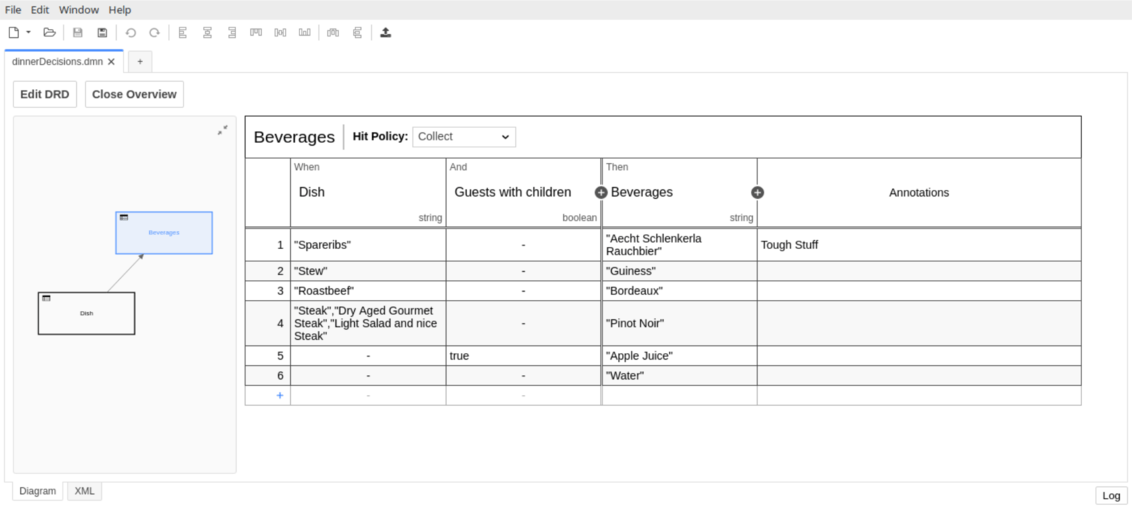 Save your changes and replace the DMN file in `src/main/resources`.