> ## Documentation Index
> Fetch the complete documentation index at: https://docs.aseeflow.org/llms.txt
> Use this file to discover all available pages before exploring further.

# Service Task

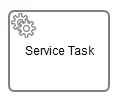
A Service Task is used to invoke services. In ASEE Flow this is done by calling Java code or providing a work item for an external worker to complete asynchronously or invoking a logic which is implemented in form of webservices.

<img src="https://mintcdn.com/aseeflow/OpLRJy6TPnBLn55c/img/short-codes/bpmn-service-task.png?fit=max&auto=format&n=OpLRJy6TPnBLn55c&q=85&s=00e843fc1537ff5aa7f689f5304b5589" alt="" width="118" height="103" data-path="img/short-codes/bpmn-service-task.png" />

## Calling Java Code

There are four ways of declaring how to invoke Java logic:

* Specifying a class that implements a JavaDelegate or ActivityBehavior
* Evaluating an expression that resolves to a delegation object
* Invoking a method expression
* Evaluating a value expression

To specify a class that is called during process execution, the fully qualified classname needs to be provided by the `camunda:class` attribute.

```xml theme={null}
<serviceTask id="javaService"
             name="My Java Service Task"
             camunda:class="org.camunda.bpm.MyJavaDelegate" />
```

Please refer to the [Java Delegate](/user-guide/process-engine/delegation-code#java-delegate) section of the [User Guide](/user-guide) for details on how to implement a Java Delegate.

It is also possible to use an expression that resolves to an object. This object must follow the
same rules as objects that are created when the `camunda:class` attribute is used.

```xml theme={null}
<serviceTask id="beanService"
             name="My Bean Service Task"
             camunda:delegateExpression="${myDelegateBean}" />
```

Or an expression which calls a method or resolves to a value.

```xml theme={null}
<serviceTask id="expressionService"
             name="My Expression Service Task"
             camunda:expression="${myBean.doWork()}" />
```

For more information about expression language as delegation code, please see the corresponding
[section](/user-guide/process-engine/expression-language/unified-expression-language#delegation-code)
of the [User Guide](/user-guide).

It is also possible to invoke logic which is implemented in form of webservices. `camunda:connector` is an extension that allows calling REST/SOAP APIs directly from the workflow. For more information about using connectors, please see the corresponding [section](/user-guide/process-engine/connectors#use-connectors) of the [User Guide](/user-guide)

### Generic Java Delegates & Field Injection

You can easily write generic Java Delegate classes which can be configured later on via the BPMN 2.0 XML in the Service Task. Please refer to the [Field Injection](/user-guide/process-engine/delegation-code#field-injection) section of the [User Guide](/user-guide) for details.

### Service Task Results

The return value of a service execution (for a Service Task exclusively using expressions) can be assigned to an already existing or to a new process variable by specifying the process variable name as a literal value for the `camunda:resultVariable` attribute of a Service Task definition. Any existing value for a specific process variable will be overwritten by the result value of the service execution. When not specifying a result variable name, the service execution result value is ignored.

```xml theme={null}
<serviceTask id="aMethodExpressionServiceTask"
           camunda:expression="#{myService.doSomething()}"
           camunda:resultVariable="myVar" />
```

In the example above, the result of the service execution (the return value of the `doSomething()` method invocation on object `myService`) is set to the process variable named `myVar` after the service execution completes.

<Warning>
  **Result variables and multi-instance**

  Note that when you use <code>camunda:resultVariable</code> in a multi-instance construct, for example in a multi-instance subprocess, the result variable is overwritten every time the task completes, which may appear as random behavior. See [camunda:resultVariable](/reference/bpmn20/custom-extensions/extension-attributes#resultvariable) for details.
</Warning>

## External Tasks

In contrast to calling Java code, where the process engine synchronously invokes Java logic, it is possible to implement a Service Task outside of the process engine's boundaries in the form of an external task. When a Service Task is declared external, the process engine offers a work item to workers that independently poll the engine for work to do. This decouples the implementation of tasks from the process engine and allows to cross system and technology boundaries. See the [user guide on external tasks](/user-guide/process-engine/external-tasks) for details on the concept and the relevant API.

To declare a Service Task to be handled externally, the attribute `camunda:type` can be set to `external` and the attribute `camunda:topic` specifies the external task's topic. For example, the following XML snippet defines an external Service Task with topic `ShipmentProcessing`:

```xml theme={null}
<serviceTask id="anExternalServiceTask"
           camunda:type="external"
           camunda:topic="ShipmentProcessing" />
```

## ASEE Flow Extensions

<table class="table table-striped">
  <tr> <th>Attributes</th> <td> [camunda:asyncBefore](/reference/bpmn20/custom-extensions/extension-attributes#asyncbefore), [camunda:asyncAfter](/reference/bpmn20/custom-extensions/extension-attributes#asyncafter), [camunda:class](/reference/bpmn20/custom-extensions/extension-attributes#class), [camunda:delegateExpression](/reference/bpmn20/custom-extensions/extension-attributes#delegateexpression), [camunda:exclusive](/reference/bpmn20/custom-extensions/extension-attributes#exclusive), [camunda:expression](/reference/bpmn20/custom-extensions/extension-attributes#expression), [camunda:jobPriority](/reference/bpmn20/custom-extensions/extension-attributes#jobpriority), [camunda:resultVariable](/reference/bpmn20/custom-extensions/extension-attributes#resultvariable), [camunda:topic](/reference/bpmn20/custom-extensions/extension-attributes#topic), [camunda:type](/reference/bpmn20/custom-extensions/extension-attributes#type), [camunda:taskPriority](/reference/bpmn20/custom-extensions/extension-attributes#taskpriority) </td> </tr>
  <tr> <th>Extension Elements</th> <td> [camunda:errorEventDefinition](/reference/bpmn20/custom-extensions/extension-elements#erroreventdefinition), [camunda:failedJobRetryTimeCycle](/reference/bpmn20/custom-extensions/extension-elements#failedjobretrytimecycle), [camunda:field](/reference/bpmn20/custom-extensions/extension-elements#field), [camunda:connector](/reference/bpmn20/custom-extensions/extension-elements#connector), [camunda:inputOutput](/reference/bpmn20/custom-extensions/extension-elements#inputoutput) </td> </tr>
  <tr> <th>Constraints</th> <td> One of the attributes <code>camunda:class</code>, <code>camunda:delegateExpression</code>, <code>camunda:type</code> or <code>camunda:expression</code> is mandatory </td> </tr>
  <tr> <td /> <td> The attribute <code>camunda:resultVariable</code> can only be used in combination with the <code>camunda:expression</code> attribute </td> </tr>
  <tr> <td /> <td> The <code>camunda:exclusive</code> attribute is only evaluated if the attribute <code>camunda:asyncBefore</code> or <code>camunda:asyncAfter</code> is set to <code>true</code> </td> </tr>
  <tr> <td /> <td> The attribute <code>camunda:topic</code> can only be used when the <code>camunda:type</code> attribute is set to <code>external</code>. </td> </tr>
  <tr> <td /> <td> The attribute <code>camunda:taskPriority</code> can only be used when the <code>camunda:type</code> attribute is set to <code>external</code>. </td> </tr>
  <tr> <td /> <td> The element <code>camunda:errorEventDefinition</code> can only be used as a child of <code>serviceTask</code> when the <code>camunda:type</code> attribute is set to <code>external</code>. </td> </tr>
</table>

## Additional Resources

* [Tasks](https://camunda.com/bpmn/reference/#activities-task) in the [BPMN Modeling Reference](https://camunda.com/bpmn/reference/) section
* [How to call a Webservice from BPMN](http://www.bpm-guide.de/2010/12/09/how-to-call-a-webservice-from-bpmn/). Please note that this article is outdated. However, it is still valid regarding how you would call a Web Service using the process engine.