> ## Documentation Index
> Fetch the complete documentation index at: https://docs.aseeflow.org/llms.txt
> Use this file to discover all available pages before exploring further.

# User Task

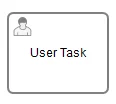
A User Task is used to model work that needs to be done by a human actor. When the process execution arrives at such a User Task, a new task is created in the task list of the user(s) or group(s) assigned to that task.

<img src="https://mintcdn.com/aseeflow/OpLRJy6TPnBLn55c/img/short-codes/bpmn-user-task.png?fit=max&auto=format&n=OpLRJy6TPnBLn55c&q=85&s=ec720b649fce3a4b827aea2958fe5ddd" alt="" width="116" height="104" data-path="img/short-codes/bpmn-user-task.png" />

A User Task is defined in XML as follows. The id attribute is required, while the name attribute is optional.

```xml theme={null}
<userTask id="theTask" name="Important task" />
```

## Description

A User Task can also have a description. In fact, any BPMN 2.0 element can have a description. A description is defined by adding the documentation element.

```xml theme={null}
<userTask id="theTask" name="Schedule meeting" >
  <documentation>
      Schedule an engineering meeting for next week with the new hire.
  </documentation>
```

The description text can be retrieved from the task in the standard Java way:

```java theme={null}
task.getDescription();
```

## Properties

### Due Date

Each task has a field indicating the due date of that task. The Query API can be used to query for tasks that are due on, before or after a certain date.

There is an activity extension which allows you to specify an expression in your task-definition to set the initial due date of a task when it is created. The expression should always resolve to a java.util.Date, java.util.String ([ISO8601](http://en.wikipedia.org/wiki/ISO_8601) formatted) or null. When using ISO8601 formatted Strings, you may either specify an exact point in time or a time period relative to the time the task is created. For example, you could use a date that was entered in a previous form in the process or calculated in a previous Service Task.

```xml theme={null}
<userTask id="theTask" name="Important task" camunda:dueDate="${dateVariable}"/>
```

The due date of a task can also be altered using the TaskService or in TaskListeners using the passed DelegateTask.

### Follow Up Date

Each task has a field indicating the follow up date of that task. The Query API can be used to query for tasks that need to be followed up on, before or after a certain date.

There is an activity extension which allows you to specify an expression in your task-definition to set the initial follow up date of a task when it is created. The expression should always resolve to a java.util.Date, java.util.String ([ISO8601](http://en.wikipedia.org/wiki/ISO_8601) formatted) or null. When using ISO8601 formatted Strings, you may either specify an exact point in time or a time period relative to the time the task is created. For example, you could use a date that was entered in a previous form in the process or calculated in a previous Service Task.

```xml theme={null}
<userTask id="theTask" name="Important task" camunda:followUpDate="${dateVariable}"/>
```

## User Assignment

A User Task can be directly assigned to a single user, a list of users or a list of groups.

### Assignment using BPMN Resource Assignments

BPMN defines some native assignment concepts which can be used in camunda.
As a more powerful alternative, ASEE Flow also defines a set of custom extension elements (see below).

#### Human Performer

This is done by defining a humanPerformer sub element. Such a humanPerformer definition needs a resourceAssignmentExpression that actually defines the user. Currently, only formalExpressions are supported.

```xml theme={null}
<process ... >
  ...
  <userTask id='theTask' name='important task' >
    <humanPerformer>
      <resourceAssignmentExpression>
        <formalExpression>kermit</formalExpression>
      </resourceAssignmentExpression>
    </humanPerformer>
  </userTask>
```

Only one user can be assigned to the task as a human performer. In the engine terminology, this user is called the assignee. Tasks that have an assignee are not visible in the task lists of other users and can be found in the so-called personal task list of the assignee instead.

Tasks directly assigned to users can be retrieved through the TaskService as follows:

```java theme={null}
List<Task> tasks = taskService.createTaskQuery().taskAssignee("kermit").list();
```

#### Potential Owner

Tasks can also be put in the so-called candidate task list of people. In that case, the potentialOwner construct must be used. The usage is similar to the humanPerformer construct. Please note that for each element in the formal expression it is required to specifically define if it is a user or a group (the engine cannot guess this).

```xml theme={null}
<process ... >
  ...
  <userTask id='theTask' name='important task' >
    <potentialOwner>
      <resourceAssignmentExpression>
        <formalExpression>user(kermit), group(management)</formalExpression>
      </resourceAssignmentExpression>
    </potentialOwner>
  </userTask>
```

Tasks defined with the potential owner construct can be retrieved as follows (or a similar TaskQuery, such as for tasks which have an assignee, can be used):

```java theme={null}
List<Task> tasks = taskService.createTaskQuery().taskCandidateUser("kermit");
```

This will retrieve all tasks where `kermit` is a candidate user, i.e., the formal expression contains the user `kermit`. This will also retrieve all tasks that are assigned to a group of which `kermit` is a member (e.g., `group(management)`, if kermit is a member of that group and the identity component is used). The groups of a user are resolved at runtime and these can be managed through the IdentityService.

If no specifics are given whether the given text string is a user or a group, the engine defaults to group. So the following two alternatives lead to the same result:

```xml theme={null}
<formalExpression>accountancy</formalExpression>
<formalExpression>group(accountancy)</formalExpression>
```

### User Assignment using ASEE Flow Extensions

It is clear that user and group assignments are quite cumbersome for use cases where the assignment is more complicated. To avoid these complexities, custom extensions on the User Task are possible.

#### Assignee

The `assignee` attribute: this custom extension allows direct assignment of a User Task to a given user.

```xml theme={null}
<userTask id="theTask" name="my task" camunda:assignee="kermit" />
```

This is exactly the same as using a humanPerformer construct as defined above.

#### Candidate Users

The `candidateUsers` attribute: this custom extension allows you to make a user a candidate for a task.

```xml theme={null}
<userTask id="theTask" name="my task" camunda:candidateUsers="kermit, gonzo" />
```

This is exactly the same as using a potentialOwner construct as defined above. Note that it is not required to use the `user(kermit)` declaration as is the case with the potential owner construct, since this attribute can only be used for users.

#### Candidate Groups

The `candidateGroups` attribute: this custom extension allows you to make a group a candidate for a task.

```xml theme={null}
<userTask id="theTask" name="my task" camunda:candidateGroups="management, accountancy" />
```

This is exactly the same as using a potentialOwner construct as defined above. Note that it is not required to use the `group(management)` declaration as is the case with the potential owner construct, since this attribute can only be used for groups.

#### Combining Candidate Users and Groups

`candidateUsers` and `candidateGroups` can both be defined for the same User Task.

### Assignment based on Data and Service Logic

In the above examples, constant values such as `kermit` or `management` are used. But what if the exact name of an assignee or a candidate group is not known at design time? And what if the assignee is not a constant value but depends on data such as *"The person who started the process"*? Maybe the assigment logic is also more complex and needs to access an external data source such as LDAP to implement a lookup such as *"The manager of the employee who started the process"*.

Such things can be implemented using assignment expressions or task listeners.

#### Assignment Expressions

Assignment expressions allow accessing process variables or calling out to beans and services.

##### Using Process Variables

Process variables are useful for assignments based on data which has been collected or calculated up front.

The following example shows how to assign a User Task to the person who started the process:

```xml theme={null}
<startEvent id="startEvent" camunda:initiator="starter" />
...
<userTask id="task" name="Clarify Invoice" camunda:assignee="${ starter }"/>
...
```

First, the `camunda:initiator` extension is used to bind the user id of the person who started (*"initiated"*) the process to the variable `starter`. Then the expression `${ starter }` retrieves that value and uses it as assignee for the task.

It is possible to use all process variables [visible](/user-guide/process-engine/variables#variable-scopes-and-variable-visibility) from the User Task in the expression.

##### Invoking a Service / Bean

When using Spring or CDI, it is possible to delegate to a bean or service implementation. This way it is possible to call out to complex assignment logic without modeling it as an explicit service task in the process which would then produce a variable used in the assignment.

In the following example, the assignee will be set by calling the `findManagerOfEmployee()` on the `ldapService` Spring/CDI bean. The `emp` parameter that is passed is a process variable.

```xml theme={null}
<userTask id="task" name="My Task" camunda:assignee="${ldapService.findManagerForEmployee(emp)}"/>
```

This also works in a similar way for candidate users and groups:

```xml theme={null}
<userTask id="task" name="My Task" camunda:candidateUsers="${ldapService.findAllSales()}"/>
```

Note that this will only work if the return type of the invoked methods is String or Collection\&lt;String> (for candidate users and groups):

```java theme={null}
public class FakeLdapService {

  public String findManagerForEmployee(String employee) {
    return "Kermit The Frog";
  }

  public List<String> findAllSales() {
    return Arrays.asList("kermit", "gonzo", "fozzie");
  }
}
```

#### Assignments in Listeners

It is also possible to use [task listeners](/user-guide/process-engine/delegation-code#task-listener) for handling assignments. The following example demonstrates a task listener on the `create` event:

```xml theme={null}
<userTask id="task1" name="My task" >
  <extensionElements>
    <camunda:taskListener event="create" class="org.camunda.bpm.MyAssignmentHandler" />
  </extensionElements>
</userTask>
```

The DelegateTask that is passed to the TaskListener implementation allows you to set the assignee and candidate-users/groups:

```java theme={null}
public class MyAssignmentHandler implements TaskListener {
  public void notify(DelegateTask delegateTask) {
    // Execute custom identity lookups here
    // and then for example call following methods:
    delegateTask.setAssignee("kermit");
    delegateTask.addCandidateUser("fozzie");
    delegateTask.addCandidateGroup("management");
    ...
  }
}
```

<Info>
  **Note**

  Assigning a task, or setting any other property through a TaskListener, will not result in an
  `assignment` or `update` event unless a `TaskService` method is used to perform these actions. This
  is intentional, in order to avoid creating event loops.
</Info>

### Assignments and Identity Service

Although the ASEE Flow engine provides an identity management component, which is exposed through the IdentityService, it does not check whether a provided user is known by the identity component. This allows integration of the engine with existing identity management solutions when it is embedded into an application.

However, note that you can use the identity service in a service / bean or listener to query your user repository if this is useful to you.

You can query for users with the help of the identity service. See the following example:

```java theme={null}
ProcessEngine processEngine = delegateTask.getProcessEngine();
IdentityService identityService = processEngine.getIdentityService();

List<User> managementUsers = identityService.createUserQuery()
    .memberOfGroup("management")
    .list();

User kermit = identityService.createUserQuery()
    .userFirstName("kermit")
    .singleResult();
```

## Reporting Bpmn Error

See the documentation for [Error Boundary Events](/reference/bpmn20/events/error-events#error-boundary-event).

To report a business error during user task operation, use `TaskService#handleBpmnError`. It can be invoked only when the task is active.
The `#handleBpmnError` method requires a mandatory argument: `errorCode`.
The error code identifies a predefined error. If the given `errorCode` does not exist or there is no boundary event defined,
the current activity instance simply ends and the error is not handled.

See the following example:

```java theme={null}

Task task = taskService.createTaskQuery().taskName("Perform check").singleResult();

// ... business error appears

taskService.handleBpmnError(
  task.getId(),
  "bpmn-error-543", // errorCode
  "Thrown BPMN Error during...", // errorMessage
  variables);
```

A BPMN error with the error code `bpmn-error-543` is propagated. If a boundary event with this error code exists, the BPMN error will be caught and handled.
The error message and variables are optional. They can provide additional information for the error. The variables will be passed to the execution if the BPMN error is caught.

## Reporting Bpmn Escalation

See the documentation for [Catching Escalation Events](/reference/bpmn20/events/escalation-events#catching-escalation-events).

Reporting an escalation during user task execution can be achieved via `TaskService#handleEscalation`. The user task should be active to do so. The `escalationCode` is compulsory to invoke the escalation, this code identifies a predefined escalation. If the given `escalationCode` does not exist an Process Engine Exception will be thrown. See the following example:

```java theme={null}
taskService.handleEscalation(
  taskId,
  "escalation-432", // escalationCode
  variables);
```

Here an escalation is propagated with escalation code `escalation-432`. If a boundary event with this escalation code exists, the escalation will be caught and handled.
The variables are optional. They will be passed to the execution if the escalation is caught.

## Completion

Complete is part of the [task lifecycle](/webapps/tasklist/task-lifecycle) operation along with create, set candidate, assign, etc. (allow available via Java API). Complete a task by passing variables, optionally the process variables can be retrieved::

```java theme={null}
taskService.complete(taskId, variables);

// or complete and retrieve the process variables
VariableMap processVariables = taskService
  .completeWithVariablesInReturn(taskId, variables, shouldDeserializeValues);
```

## Forms

It is possible to provide information to render a User Task form by using the `camunda:formKey`
attribute:

```xml theme={null}
<userTask id="someTask" camunda:formKey="someForm.html">
  ...
</userTask>
```

The form key is a symbolic value which can be set in the BPMN XML file by using the extension attribute
`formKey` and retrieved at runtime using the process engine API.

If the User Task form is displayed inside the ASEE Flow Tasklist, the format of the formKey must follow
special rules. [See the corresponding section in the user guide for details](/user-guide/task-forms).

In custom applications, the value of the form key attribute can be interpreted freely. Based on the specific UI technology used,
it can reference the name of an HTML file, a JSF / Facelets template, a Vaadin / GWT view, ...

### Retrieving the Form Key using the Form Service.

```java theme={null}
String formKey = formService.getTaskFormData(someTaskId).getFormKey();
```

### Retrieving the Form using the Task Service

When performing a task query, it is possible to retrieve the form key as well. This is most useful
if the form keys need to be retrieved for a complete list of tasks:

```java theme={null}
List<Task> tasks = TaskService.createTaskQuery()
  .assignee("jonny")
  .initializeFormKeys() // must be invoked
  .list();

for(Task task : tasks) {
  String formKey = task.getFormKey();
}
```

Note that it is required to call the `.initializeFormKeys()` method on the `TaskQuery` object to
make sure the form keys are initialized.

### Form submission

When a form is submitted, it is possible to fetch the process variables in return:

```java theme={null}
VariableMap processVariables = formService
  .submitTaskFormWithVariablesInReturn(taskId, properties, shouldDeserializeValues);

// or avoid unnecessary variable access
formService.submitTaskForm(taskId, properties);
```

## ASEE Flow Extensions

<table class="table table-striped">
  <tr> <th>Attributes</th> <td> [camunda:assignee](/reference/bpmn20/custom-extensions/extension-attributes#assignee), [camunda:asyncBefore](/reference/bpmn20/custom-extensions/extension-attributes#asyncbefore), [camunda:asyncAfter](/reference/bpmn20/custom-extensions/extension-attributes#asyncafter), [camunda:candidateGroups](/reference/bpmn20/custom-extensions/extension-attributes#candidategroups), [camunda:candidateUsers](/reference/bpmn20/custom-extensions/extension-attributes#candidateusers), [camunda:dueDate](/reference/bpmn20/custom-extensions/extension-attributes#duedate), [camunda:exclusive](/reference/bpmn20/custom-extensions/extension-attributes#exclusive), [camunda:formHandlerClass](/reference/bpmn20/custom-extensions/extension-attributes#formhandlerclass), [camunda:formKey](/reference/bpmn20/custom-extensions/extension-attributes#formkey), [camunda:formRef](/reference/bpmn20/custom-extensions/extension-attributes#formref), [camunda:formRefBinding](/reference/bpmn20/custom-extensions/extension-attributes#formrefbinding), [camunda:formRefVersion](/reference/bpmn20/custom-extensions/extension-attributes#formrefversion), [camunda:jobPriority](/reference/bpmn20/custom-extensions/extension-attributes#jobpriority), [camunda:priority](/reference/bpmn20/custom-extensions/extension-attributes#priority) </td> </tr>
  <tr> <th>Extension Elements</th> <td> [camunda:formData](/reference/bpmn20/custom-extensions/extension-elements#formdata), [camunda:formProperty](/reference/bpmn20/custom-extensions/extension-elements#formproperty), [camunda:taskListener](/reference/bpmn20/custom-extensions/extension-elements#tasklistener), [camunda:failedJobRetryTimeCycle](/reference/bpmn20/custom-extensions/extension-elements#failedjobretrytimecycle), [camunda:inputOutput](/reference/bpmn20/custom-extensions/extension-elements#inputoutput) </td> </tr>
  <tr> <th>Constraints</th> <td> The attribute <code>camunda:assignee</code> cannot be used simultaneously with the <code>humanPerformer</code> element </td> </tr>
  <tr> <td /> <td> Only one <code>camunda:formData</code> extension element is allowed </td> </tr>
  <tr> <td /> <td> The <code>camunda:exclusive</code> attribute is only evaluated if the attribute <code>camunda:asyncBefore</code> or <code>camunda:asyncAfter</code> is set to <code>true</code> </td> </tr>
</table>