> ## Documentation Index
> Fetch the complete documentation index at: https://docs.aseeflow.org/llms.txt
> Use this file to discover all available pages before exploring further.

# Stage

A *stage* can contain other plan items like a human task, a process task, a case task or another stage. Stages may be considered 'episodes' of a case. However, stages are not necessarily planned sequentially but can also be active in parallel.

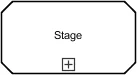
If a stage is collapsed, only its name and a plus sign are displayed:

<img src="https://mintcdn.com/aseeflow/OpLRJy6TPnBLn55c/img/short-codes/cmmn-stage-collapsed.png?fit=max&auto=format&n=OpLRJy6TPnBLn55c&q=85&s=d8d018d8e97e5be000f8763ae0d7727b" alt="" width="137" height="75" data-path="img/short-codes/cmmn-stage-collapsed.png" />

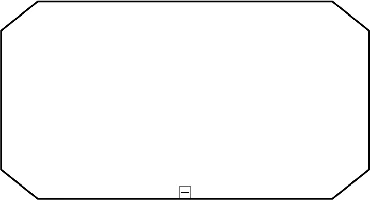
If a stage is expanded, its plan items are displayed within its boundaries:
<img src="https://mintcdn.com/aseeflow/OpLRJy6TPnBLn55c/img/short-codes/cmmn-stage-expanded.png?fit=max&auto=format&n=OpLRJy6TPnBLn55c&q=85&s=8bd9eea6cf43ff6af3aa4c1dc673adaa" alt="" width="370" height="200" data-path="img/short-codes/cmmn-stage-expanded.png" />

A stage is defined in XML as follows:

```xml theme={null}
<stage id="checkCredit">

  <!-- plan items -->

  <planItem id="PI_checkSolvency" definitionRef="checkSolvency" />

  <planItem id="PI_calculateCredit" definitionRef="calculateCredit" />

  <planItem id="PI_calculateHousekeepingBill" definitionRef="calculateHousekeepingBill" />

</stage>
```

Furthermore, a case always refers to one stage as its *case plan model*. The case plan model defines the *outermost* stage of the case. This outermost stage also contains all plan item definitions that are used in the case.

```xml theme={null}
<case>

  <casePlanModel>

    <!-- plan items -->

    <planItem id="PI_checkCredit" definitionRef="checkCredit" />

    <!-- plan item definitions -->

    <humanTask id="checkSolvency" name="Check Solvency" />

    <humanTask id="calculateCredit" name="Calculate Credit" />

    <humanTask id="calculateHousekeepingBill" name="Calculate Hausekeeping Bill" />

    <stage id="checkCredit">

      <!-- plan items -->

      <planItem id="PI_checkSolvency" definitionRef="checkSolvency" />

      <planItem id="PI_calculateCredit" definitionRef="calculateCredit" />

      <planItem id="PI_calculateHousekeepingBill" definitionRef="calculateHousekeepingBill" />

    </stage>

  </casePlanModel>

</case>
```

Note: The listed plan item definitions inside the `casePlanModel` are referenced by plan items in the case plan model itself (i.e., stage), as well as by plan items in nested stages. Plan item definitions must not be contained by any other stage than the case plan model.

A stage in state `ENABLED` can be started manually using the `CaseService` as follows:

```java theme={null}
caseService.manuallyStartCaseExecution("aCaseExecutionId");
```

When the stage becomes `ACTIVE`, the contained plan items are instantiated and reach the state `AVAILABLE`. A stage in this state always contains at least one stage or task instance in the state `AVAILABLE`, `ENABLED`, or `ACTIVE`. In other words, a stage completes automatically if a user has no option to do further work on its contained plan items. This means that if a contained plan item completes or is disabled, the stage is notified about that state transition and checks if it is able to complete. A stage instance can only complete if there are no contained plan items in the state `ACTIVE`, and all are either in state `DISABLED` or `COMPLETED`. In case the check succeeds, the stage instance completes.

## ASEE Flow Extensions

<table class="table table-striped">
  <tr> <th>Extension Elements</th> <td> [camunda:caseExecutionListener](/reference/cmmn11/custom-extensions/camunda-elements#caseexecutionlistener), [camunda:variableListener](/reference/cmmn11/custom-extensions/camunda-elements#variablelistener) </td> </tr>
</table>
