> ## Documentation Index
> Fetch the complete documentation index at: https://docs.aseeflow.org/llms.txt
> Use this file to discover all available pages before exploring further.
# DMN Decision Table Rule
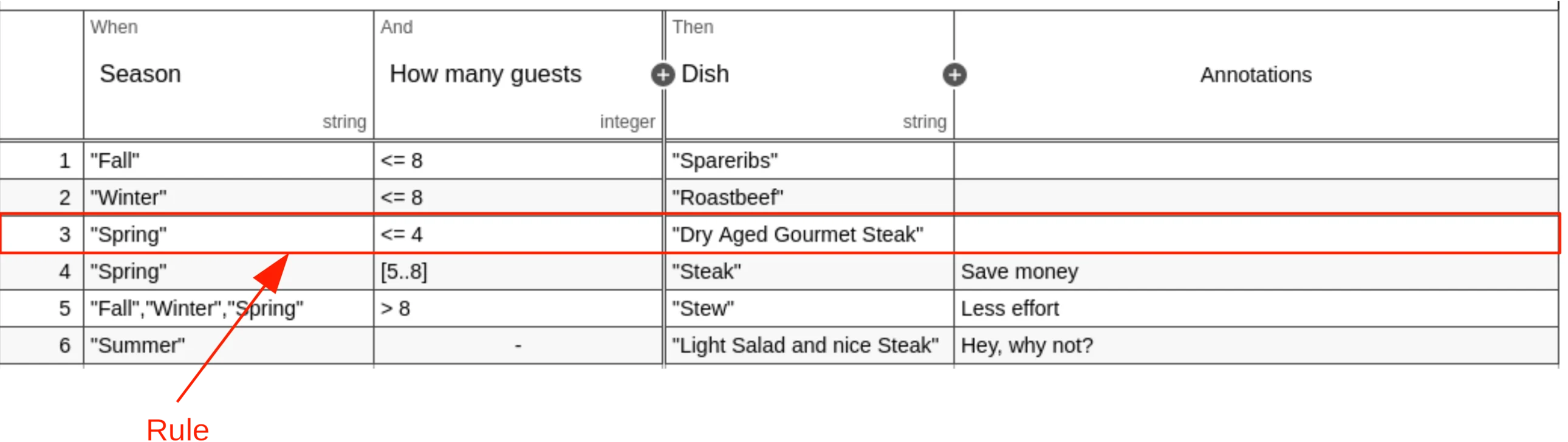 A decision table can have one or more rules. Each rule contains input and
output entries. The input entries are the condition and the output entries the
conclusion of the rule. If each input entry (condition) is satisfied, then the
rule is satisfied and the decision result contains the output entries
(conclusion) of this rule.
A rule is represented by a `rule` element inside a `decisionTable` XML element.
```xml theme={null}
"Winter"
"Roastbeef"
```
## Input Entry (Condition)
A decision table can have one or more rules. Each rule contains input and
output entries. The input entries are the condition and the output entries the
conclusion of the rule. If each input entry (condition) is satisfied, then the
rule is satisfied and the decision result contains the output entries
(conclusion) of this rule.
A rule is represented by a `rule` element inside a `decisionTable` XML element.
```xml theme={null}
"Winter"
"Roastbeef"
```
## Input Entry (Condition)
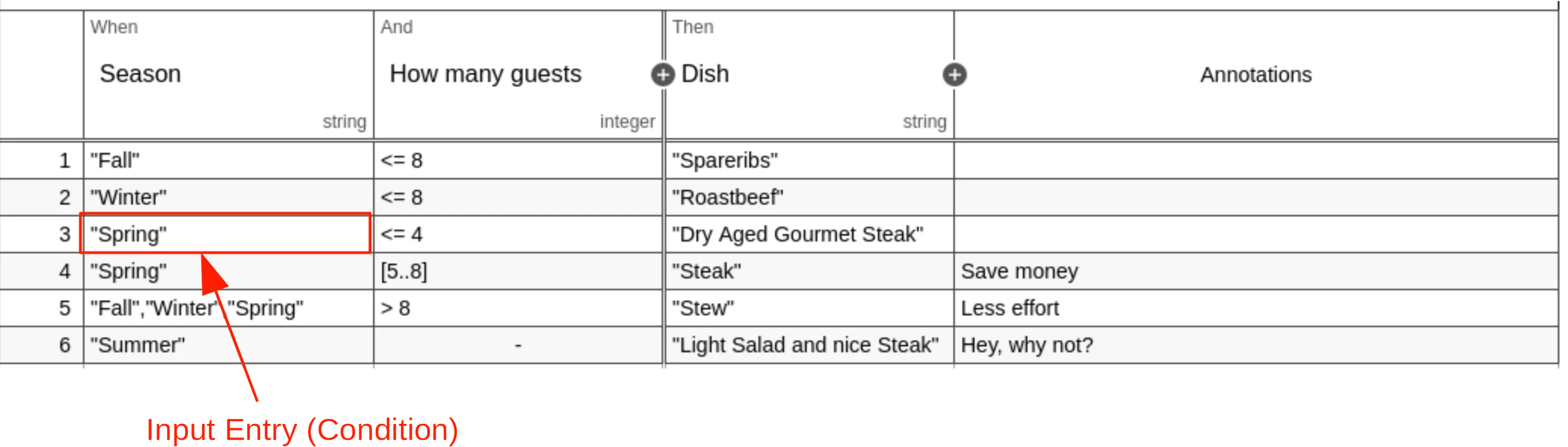 A rule can have one or more input entries, which are the conditions of the rule.
Each input entry contains an expression in a `text` element as child of an
`inputEntry` XML element.
The input entry is satisfied when the evaluated expression returns `true`.
```xml theme={null}
"Spring"
```
### Expression Language of an Input Entry
The expression language of the input entry can be specified by the
`expressionLanguage` attribute on the `inputEntry` XML element. The supported
expression languages are listed in the [User Guide][supported EL].
```xml theme={null}
cellInput == "Spring"
```
If no expression language is set then the global expression
language, which is set on the `definitions` XML element, is used.
```xml theme={null}
```
In case no global expression language is set, the default expression language
is used instead. The default expression language for input entries is [FEEL].
Please refer to the [User Guide][default EL] to read more about expression
languages.
## Output Entry (Conclusion)
A rule can have one or more input entries, which are the conditions of the rule.
Each input entry contains an expression in a `text` element as child of an
`inputEntry` XML element.
The input entry is satisfied when the evaluated expression returns `true`.
```xml theme={null}
"Spring"
```
### Expression Language of an Input Entry
The expression language of the input entry can be specified by the
`expressionLanguage` attribute on the `inputEntry` XML element. The supported
expression languages are listed in the [User Guide][supported EL].
```xml theme={null}
cellInput == "Spring"
```
If no expression language is set then the global expression
language, which is set on the `definitions` XML element, is used.
```xml theme={null}
```
In case no global expression language is set, the default expression language
is used instead. The default expression language for input entries is [FEEL].
Please refer to the [User Guide][default EL] to read more about expression
languages.
## Output Entry (Conclusion)
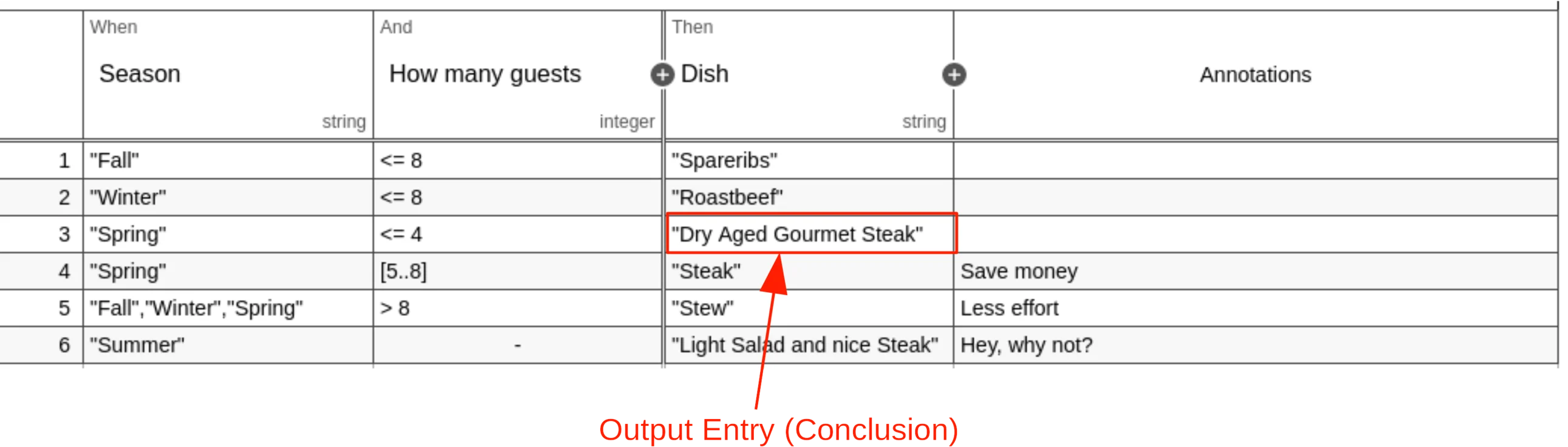 A rule can have one or more output entries, which are the conclusions of the
rule. Each output entry contains an expression in a `text` element as child of
an `outputEntry` XML element.
```xml theme={null}
"Steak"
```
### Expression Language of an Output Entry
The expression language of the expression can be specified by the
`expressionLanguage` attribute on the `outputEntry` XML element. The supported
expression languages are listed in the [User Guide][supported EL].
```xml theme={null}
"Steak"
```
If no expression language is set then the global expression
language, which is set on the `definitions` XML element, is used.
```xml theme={null}
```
In case no global expression language is set, the default expression language
is used instead. The default expression language for output entries is JUEL.
Please refer to the [User Guide][default EL] to read more about expression
languages.
## Empty Entries
### Empty Input Entry
In case an input entry is irrelevant for a rule, the expression is empty, which
is always satisfied.
```xml theme={null}
```
If FEEL is used as expression language, then an empty input entry is represented
by a `-`. Otherwise, the expression is empty.
### Empty Output Entry
If the output entry is empty, then the output is ignored and not part of the
decision table result.
```xml theme={null}
```
### Both Entries Empty
In case of a rule has an empty input and output entry, the outcome of evaluation
will be determined with precedence of the empty input outcome.
## Description
A rule can have one or more output entries, which are the conclusions of the
rule. Each output entry contains an expression in a `text` element as child of
an `outputEntry` XML element.
```xml theme={null}
"Steak"
```
### Expression Language of an Output Entry
The expression language of the expression can be specified by the
`expressionLanguage` attribute on the `outputEntry` XML element. The supported
expression languages are listed in the [User Guide][supported EL].
```xml theme={null}
"Steak"
```
If no expression language is set then the global expression
language, which is set on the `definitions` XML element, is used.
```xml theme={null}
```
In case no global expression language is set, the default expression language
is used instead. The default expression language for output entries is JUEL.
Please refer to the [User Guide][default EL] to read more about expression
languages.
## Empty Entries
### Empty Input Entry
In case an input entry is irrelevant for a rule, the expression is empty, which
is always satisfied.
```xml theme={null}
```
If FEEL is used as expression language, then an empty input entry is represented
by a `-`. Otherwise, the expression is empty.
### Empty Output Entry
If the output entry is empty, then the output is ignored and not part of the
decision table result.
```xml theme={null}
```
### Both Entries Empty
In case of a rule has an empty input and output entry, the outcome of evaluation
will be determined with precedence of the empty input outcome.
## Description
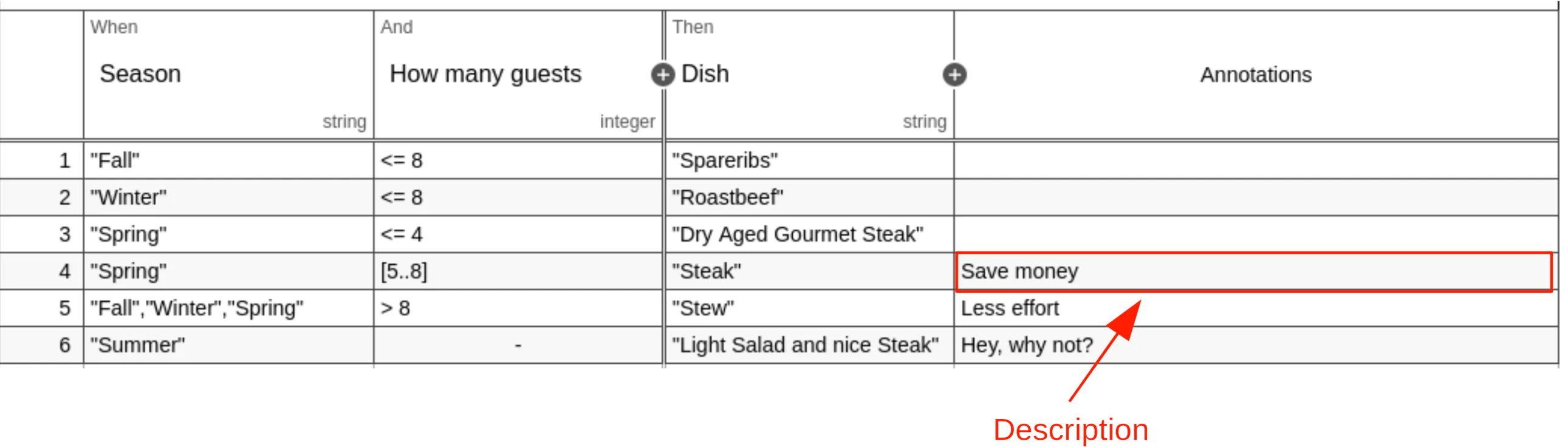 A rule can be annotated with a description that provides additional
information. The description text is set inside the `description` XML element.
```xml theme={null}
Save money
```
[supported EL]: /user-guide/dmn-engine/expressions-and-scripts#supported-expression-languages
[default EL]: /user-guide/dmn-engine/expressions-and-scripts#default-expression-languages
[FEEL]: /reference/dmn/feel
A rule can be annotated with a description that provides additional
information. The description text is set inside the `description` XML element.
```xml theme={null}
Save money
```
[supported EL]: /user-guide/dmn-engine/expressions-and-scripts#supported-expression-languages
[default EL]: /user-guide/dmn-engine/expressions-and-scripts#default-expression-languages
[FEEL]: /reference/dmn/feel