> ## Documentation Index
> Fetch the complete documentation index at: https://docs.aseeflow.org/llms.txt
> Use this file to discover all available pages before exploring further.
# Admin Plugins
**Plugin Compatibility**
Please note that the code of Admin plugins might need to be migrated when updating ASEE Flow to a higher version (e.g. CSS styles).
Admin uses the concept of plugins to add own functionality without having to extend or hack the Admin web application.
For further details about the concepts behind plugins, please read the [Cockpit plugins section](/webapps/cockpit/extend/plugins).
**Difference between Cockpit and Admin plugins:**
* To publish the plugin with Admin, its class name must be put into a file called `org.camunda.bpm.admin.plugin.spi.AdminPlugin` that resides in the directory `META-INF/services`.
* The plugin mechanism of Admin does not allow to provide additional SQL queries by using [MyBatis](http://www.mybatis.org/) mappings.
## Plugin Points
Here you can see the various points at which you are able to add your own plugins.
### Route
**Name:** `admin.route`
This plugin points properties contain the attribute `path`, which stands for the hashRoute for this page. This will be rendered when the user navigates in the browser to the url, e.g. `#/my-path`.
```Javascript theme={null}
properties: {
path: "/my-path"
}
```
### Dashboard
**Name:** `admin.dashboard.section`
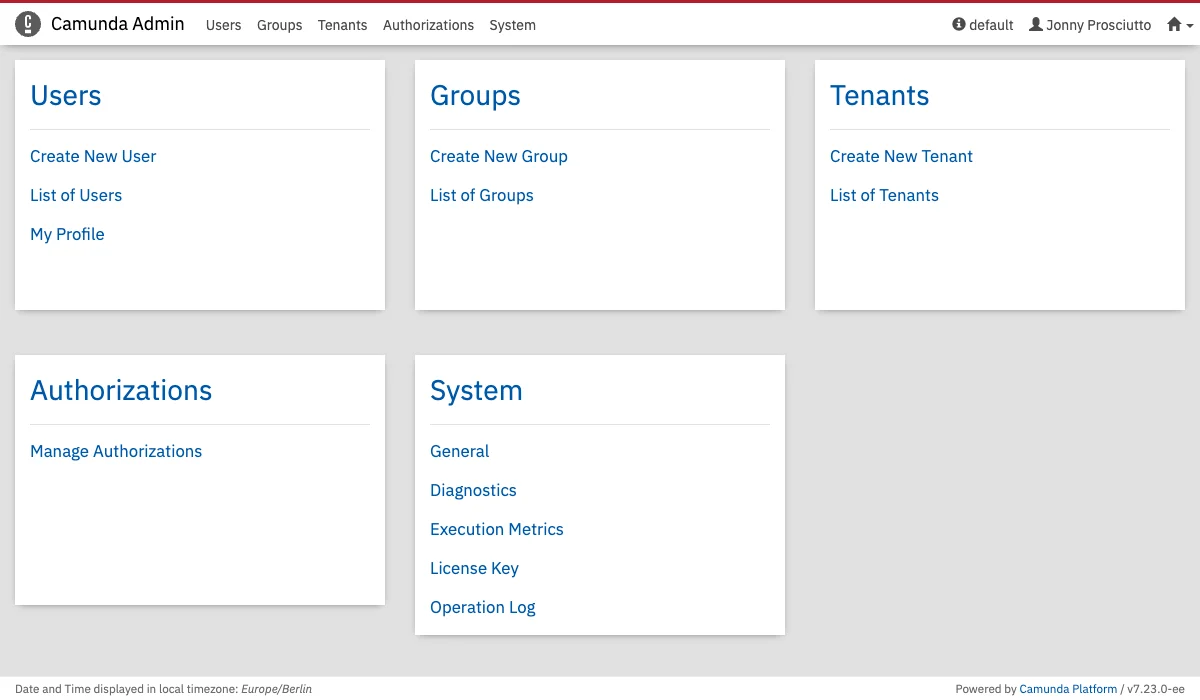 The Admin webapp gets a dashboard based on plugins similar to the [Cockpit dashboard ones](/webapps/cockpit/extend/plugins#dashboard).
This plugin points properties contain the attributes `label` and `pagePath`, which are the heading of the new Section as well as the linked sub-page of the heading. If `pagePath` is `undefined`, the label will not be rendered as a link.
```Javascript theme={null}
properties: {
label: "My Plugin",
pagePath: '#/myPage'
}
```
You can find examples of [Admin dashboard plugins here](https://github.com/camunda/camunda-bpm-platform/tree/7.24.0/webapps/frontend/ui/admin/plugins/base/app/views/dashboard).
The Admin webapp gets a dashboard based on plugins similar to the [Cockpit dashboard ones](/webapps/cockpit/extend/plugins#dashboard).
This plugin points properties contain the attributes `label` and `pagePath`, which are the heading of the new Section as well as the linked sub-page of the heading. If `pagePath` is `undefined`, the label will not be rendered as a link.
```Javascript theme={null}
properties: {
label: "My Plugin",
pagePath: '#/myPage'
}
```
You can find examples of [Admin dashboard plugins here](https://github.com/camunda/camunda-bpm-platform/tree/7.24.0/webapps/frontend/ui/admin/plugins/base/app/views/dashboard).