> ## Documentation Index
> Fetch the complete documentation index at: https://docs.aseeflow.org/llms.txt
> Use this file to discover all available pages before exploring further.
# Cockpit
**Legacy web application.** This is one of the original ASEE Flow web applications, kept for compatibility. The preferred administrative client for ASEE Flow is [ASEE Flow WebAdmin](/webadmin).
ASEE Flow Cockpit is a web application for monitoring and operations. It provides access to deployed BPMN processes and DMN decisions, allows searching though running and ended instances and performing operations on these.
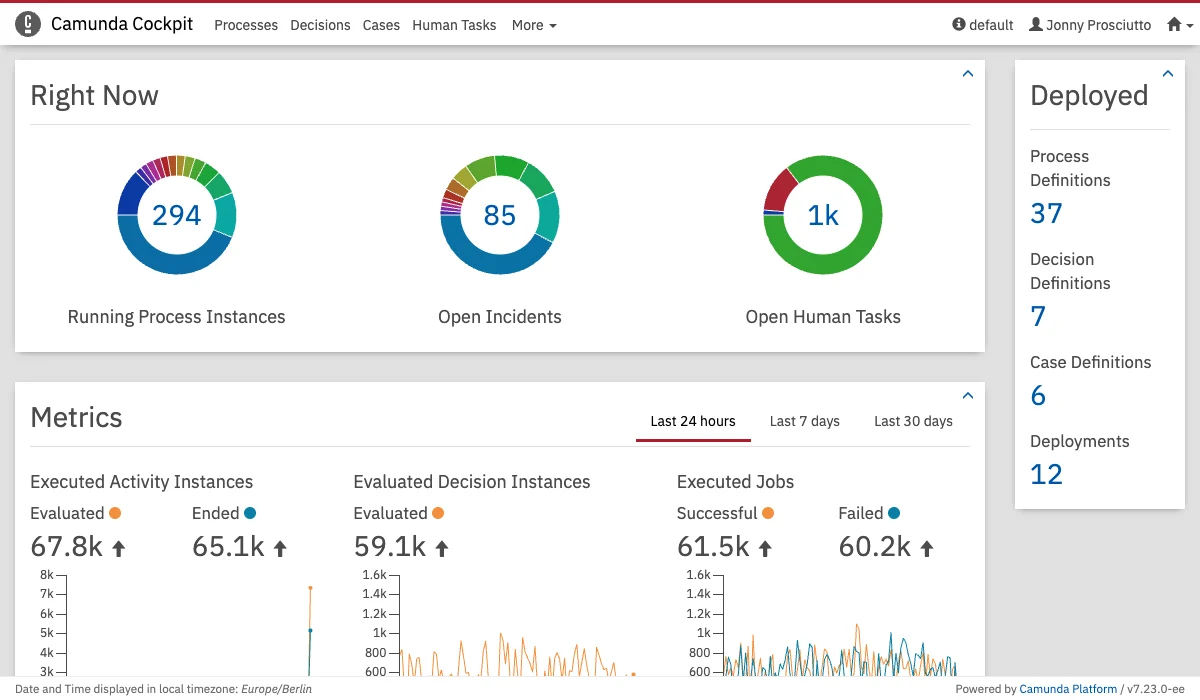 The Cockpit architecture is extensible allowing it to be extended through [plugins][cockpit-plugins].
### Cockpit & History Levels
A big part of Cockpit's functionality relies on historical data, and some of this historical data is only provided through the `FULL` History Level.
Therefore, to gain the full feature set of Cockpit, and not suffer any UX degradation due to unavailable data, [History Level][history-levels] `FULL` should be set.
[cockpit-plugins]: /webapps/cockpit/extend/plugins
[history-levels]: /user-guide/process-engine/history/history-configuration#choose-a-history-level
The Cockpit architecture is extensible allowing it to be extended through [plugins][cockpit-plugins].
### Cockpit & History Levels
A big part of Cockpit's functionality relies on historical data, and some of this historical data is only provided through the `FULL` History Level.
Therefore, to gain the full feature set of Cockpit, and not suffer any UX degradation due to unavailable data, [History Level][history-levels] `FULL` should be set.
[cockpit-plugins]: /webapps/cockpit/extend/plugins
[history-levels]: /user-guide/process-engine/history/history-configuration#choose-a-history-level