> ## Documentation Index
> Fetch the complete documentation index at: https://docs.aseeflow.org/llms.txt
> Use this file to discover all available pages before exploring further.
# Failed Jobs
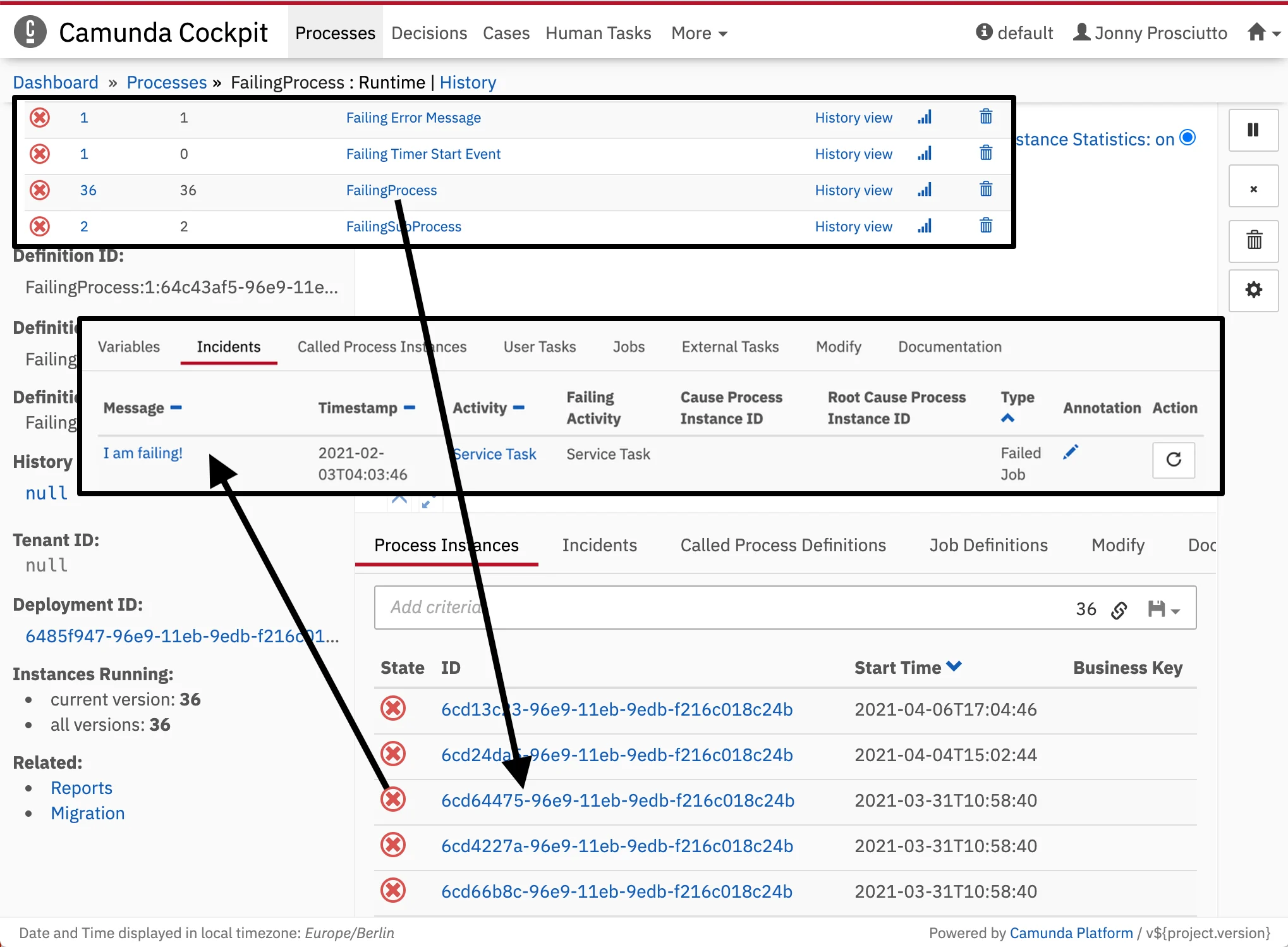 Unresolved incidents of a process instance or a sub process instance are indicated by Cockpit as failed jobs. To localize which instance of a process failed, Cockpit allows you to drill down to the unresolved incident by using the process status dots. Hit a red status dot of the affected instance in the Process Definition View to get an overview of all incidents. The *Incidents* tab in the [Detailed Information Panel](/webapps/cockpit/bpmn/process-instance-view#detailed-information-panel) lists the failed activities with additional information. Furthermore, you have the possibility of going down to the failing instance of a sub process.
## Retry a Failed Job
On the [process instance view](/webapps/cockpit/bpmn/process-instance-view), you can use the *(repeat icon)* button on the right side to resolve a failed job.
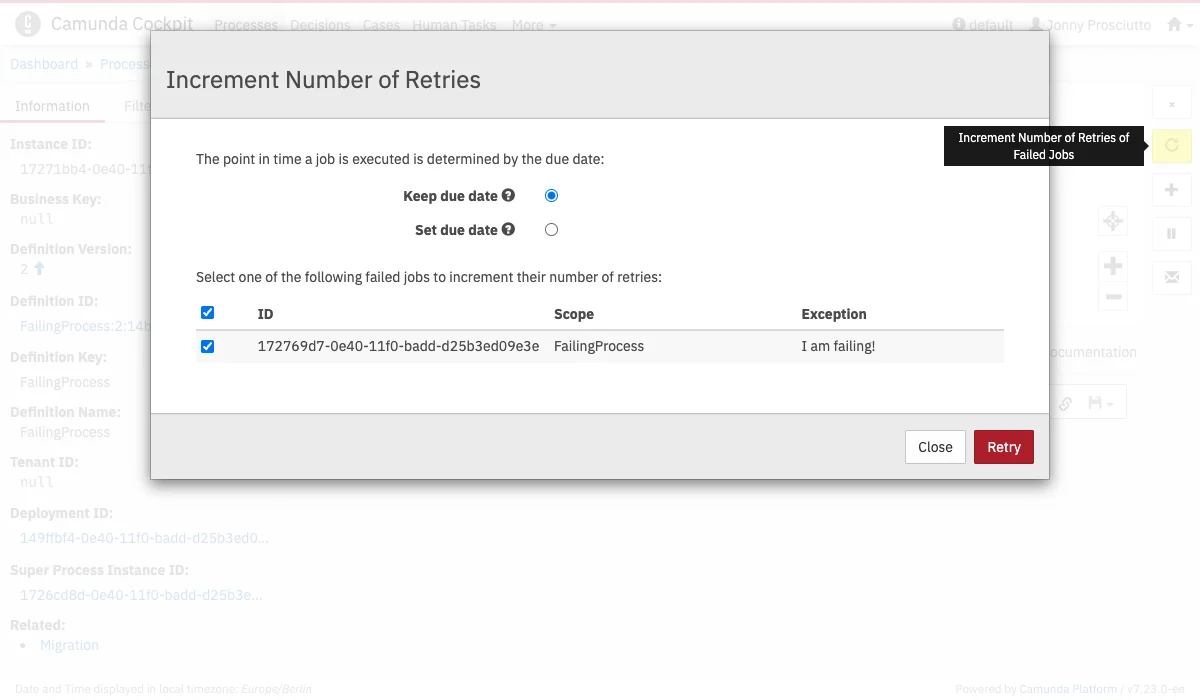
A modal dialog opens where you can:
1. Choose whether the previous due date should be kept or set to an absolute date/time of your choice.
2. Select the failed jobs to be retried.
After clicking on **Retry**, the engine will re-trigger the jobs and increment their retry values in the database so the Job Executor can acquire and execute the jobs again.
Unresolved incidents of a process instance or a sub process instance are indicated by Cockpit as failed jobs. To localize which instance of a process failed, Cockpit allows you to drill down to the unresolved incident by using the process status dots. Hit a red status dot of the affected instance in the Process Definition View to get an overview of all incidents. The *Incidents* tab in the [Detailed Information Panel](/webapps/cockpit/bpmn/process-instance-view#detailed-information-panel) lists the failed activities with additional information. Furthermore, you have the possibility of going down to the failing instance of a sub process.
## Retry a Failed Job
On the [process instance view](/webapps/cockpit/bpmn/process-instance-view), you can use the *(repeat icon)* button on the right side to resolve a failed job.
A modal dialog opens where you can:
1. Choose whether the previous due date should be kept or set to an absolute date/time of your choice.
2. Select the failed jobs to be retried.
After clicking on **Retry**, the engine will re-trigger the jobs and increment their retry values in the database so the Job Executor can acquire and execute the jobs again.