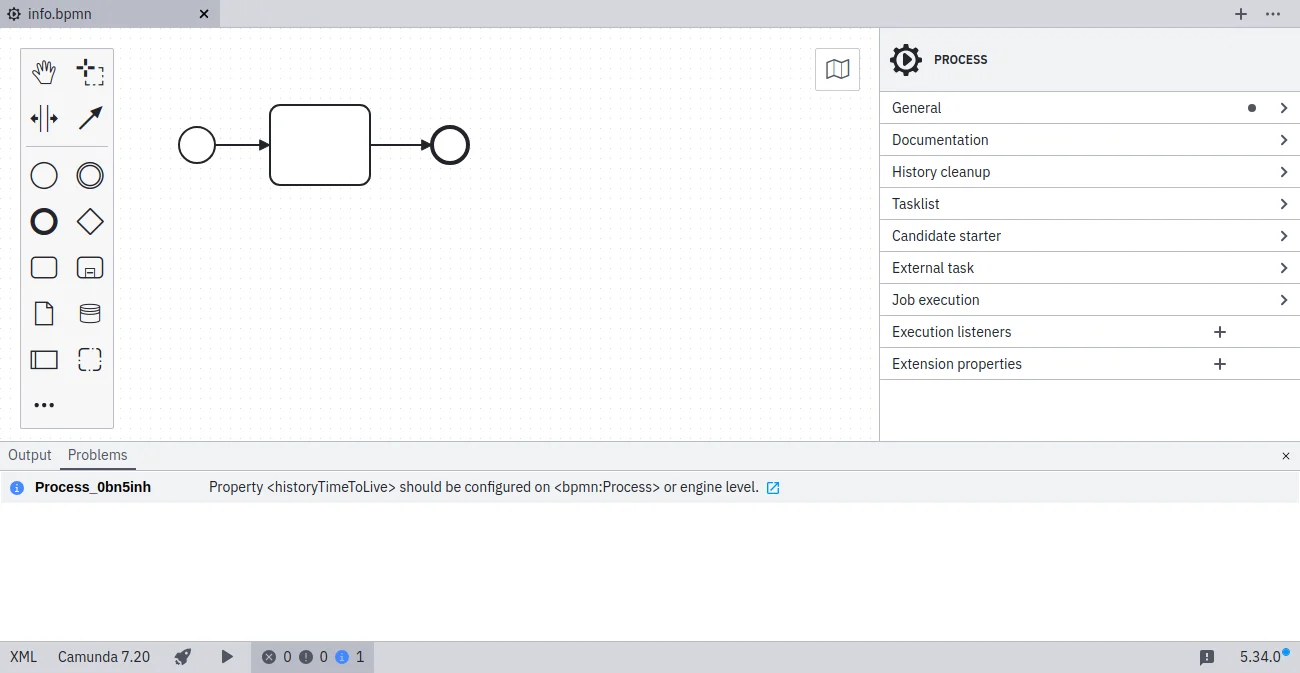
- Define HTTL per model directly in Desktop Modeler.
- Set a default HTTL via an engine configuration.
- Switch off the HTTL check via an engine configuration if history cleanup is not used.
Values
Process instances are only cleaned up if their corresponding definition has a valid time to live (TTL). Use thehistoryTimeToLive extension attribute of the process definition to define the TTL for all its instances:
<process id="oneTaskProcess" name="The One Task Process" isExecutable="true" camunda:historyTimeToLive="5"></process>
TTL can also be defined in ISO-8601 date format. The function only accepts the notation to define the number of days.
<process id="oneTaskProcess" name="The One Task Process" isExecutable="true" camunda:historyTimeToLive="P5D"></process>
Refer to the ASEE Flow documentation regarding case definitions for additional details.
Time to live must be defined under History cleanup in the properties panel on the right side of the screen.
History time to live not configured