

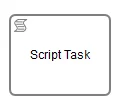
script child element.
Alternatively, the source code can be specified as an expression or external resource. For more
information on the possible ways of providing the script source code please see the corresponding
section of the User Guide.
For general information about scripting in the process engine, please see the Scripting section of the User Guide.
Supported Script LanguagesASEE Flow should work with most of the JSR-223 compatible script engine implementations. We test integration for Groovy, JavaScript, JRuby and Jython. See the Third Party Dependencies section of the User Guide for more details.
Variables in Scripts
All process variables that are accessible through the execution that arrives in the Script Task can be used within the script. In the example below, the script variableinputArray is in fact a process variable (an array of integers).
setVariable(...) methods provided by the VariableScope interface:
Enabling auto-storing of Script Variables
By setting the propertyautoStoreScriptVariables to true in the process engine configuration, the process engine will automatically store all global script variables as process variables.
It only reliably works for the Groovy scripting language (see the Set autoStoreScriptVariables section of the Migration Guide for more information).
To use this feature, you have to
- set
autoStoreScriptVariablestotruein the process engine configuration - prefix all script variables that should not be stored as script variables using the
defkeyword:def sum = 0. In this case the variablesumwill not be stored as process variable.
Groovy-Support onlyThe configuration flag
autoStoreScriptVariables is only supported for Groovy Script Tasks. If enabled for other script languages,
it is not guaranteed which variables will be exported by the script engine. For
example, Ruby will not export any of the script variables at all.out, out:print, lang:import, context, elcontext.
Script Results
The return value of a Script Task can be assigned to a previously existing or to a new process variable by specifying the process variable name as a literal value for thecamunda:resultVariable attribute of a Script Task definition. Any existing value for a specific process variable will be overwritten by the result value of the script execution. When a result variable name is not specified, the script result value gets ignored.
#{echo}) is set to the process variable named myVar after the script completes.
ASEE Flow Extensions
| Attributes | camunda:asyncBefore, camunda:asyncAfter, camunda:exclusive, camunda:jobPriority, camunda:resultVariable, camunda:resource |
|---|---|
| Extension Elements | camunda:failedJobRetryTimeCycle, camunda:inputOutput |
| Constraints | The camunda:exclusive attribute is only evaluated if the attribute camunda:asyncBefore or camunda:asyncAfter is set to true |