

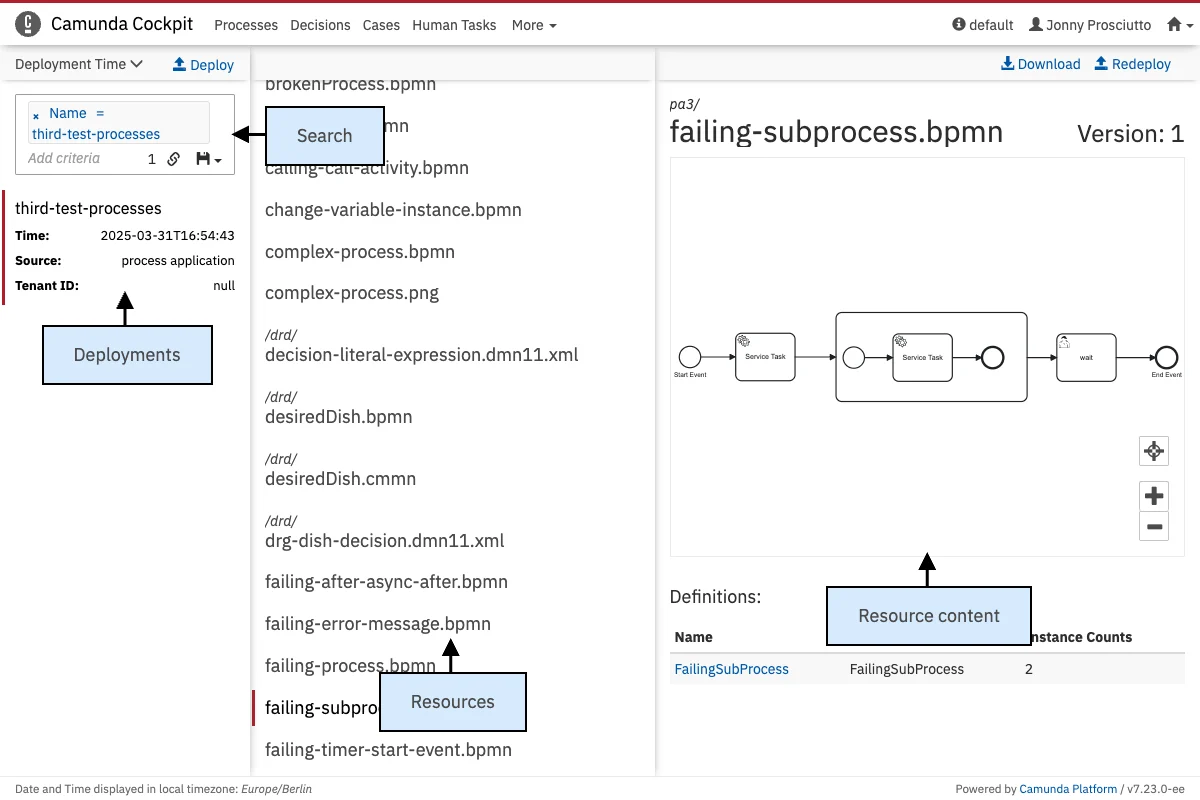
Search
Use the search field at the top of the list of deployments to find specific deployments. Similar to the search on the cockpit dashboard and in tasklist, it is possible to search deployments using an array of available criteria. Valid search criteria are unique ID, name (which does not need to be unique across all deployments), time of deployment and source. The deployment source can be provided when a deployment is created. A deployment that is created by the application during startup will have this property set toprocess application. If a deployment is made directly in Cockpit, the property will be set to cockpit, and so on. You can also search for deployments that have no deployment source set using the Source undefined criterion.
Furthermore, you can copy a link to the current search query to your clipboard by clicking on the button and you can save search queries to your local browser storage by clicking on the button and inserting a name in the drop down menu that appears. You can then retrieve the search query by clicking on the button and selecting the chosen name in the drop down menu.
Independently of the search, ordering for the deployment list can be set using the sorting parameter above the search field. It is possible to order by ID, name and deployment time. Clicking on the arrow on the right side of the sorting criterion changes the ordering (ascending and descending).