
Evaluate the decision table

To assess a decision table immediately after deployment, add this method to your application class:
package org.camunda.bpm.getstarted.dmn;

@ProcessApplication("Dinner App DMN")
public class DinnerApplication extends ServletProcessApplication {

  protected final static Logger LOGGER = Logger.getLogger(DinnerApplication.class.getName());

  @PostDeploy
  public void evaluateDecisionTable(ProcessEngine processEngine) {

    DecisionService decisionService = processEngine.getDecisionService();

    VariableMap variables = Variables.createVariables()
      .putValue("season", "Spring")
      .putValue("guestCount", 10);

    DmnDecisionTableResult dishDecisionResult = decisionService.evaluateDecisionTableByKey("dish", variables);
    String desiredDish = dishDecisionResult.getSingleEntry();

    LOGGER.log(Level.INFO, "\n\nDesired dish: {0}\n\n", desiredDish);
  }

}
Catch up: get the sources of Step-4
git clone https://github.com/camunda/camunda-get-started-dmn.git
git checkout -f Step-4
Or download as a .zip.

Build the web application with Maven

In the Package Explorer, select pom.xml, right-click, and choose Run As > Maven Install. This generates a WAR file called dinner-dmn-0.1.0-SNAPSHOT.war in the target/ directory.
If the WAR file doesn’t appear after the Maven build, refresh the project (F5) in Eclipse.

Deploy to Apache Tomcat

Copy the dinner-dmn-0.1.0-SNAPSHOT.war file from your Maven project to $CAMUNDA_HOME/server/apache-tomcat/webapps. Examine the Apache Tomcat server logs. Successful deployment is indicated by:
INFO org.camunda.commons.logging.BaseLogger.logInfo
ENGINE-07015 Detected @ProcessApplication class 'org.camunda.bpm.getstarted.dish.DishApplication'
INFO org.camunda.commons.logging.BaseLogger.logInfo
ENGINE-08024 Found processes.xml file at ../webapps/dinner-dmn-0.1.0-SNAPSHOT/WEB-INF/classes/META-INF/processes.xml
INFO org.camunda.commons.logging.BaseLogger.logInfo
ENGINE-08023 Deployment summary for process archive 'dinner-dmn':

        dinnerDecisions.dmn

INFO org.camunda.bpm.getstarted.dmn.DinnerApplication.evaluateDecisionTable

Desired dish: Stew

INFO org.camunda.commons.logging.BaseLogger.logInfo
ENGINE-08050 Process application Dinner App DMN successfully deployed

Verify the deployment with Cockpit

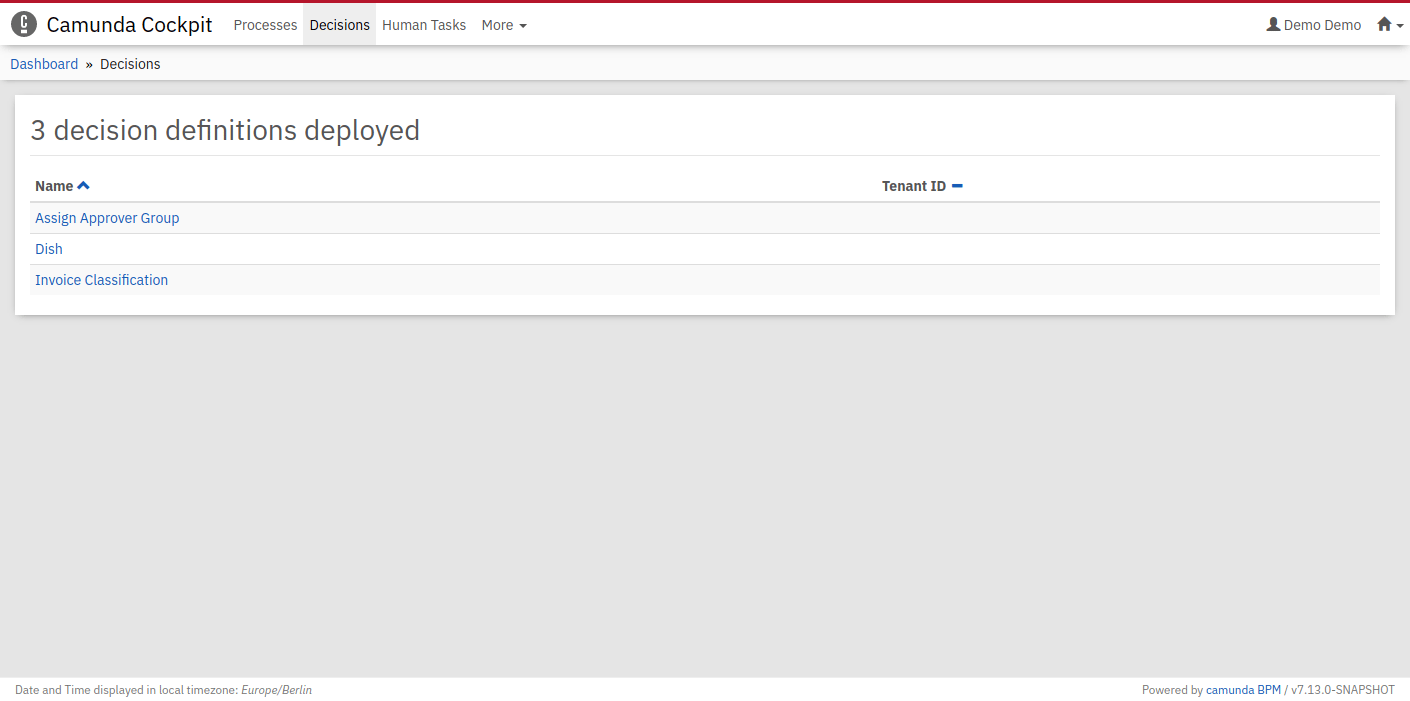
Access Cockpit at http://localhost:8080/camunda/app/cockpit. Log in with demo / demo. Navigate to the Decisions section, where your Dish decision table should appear as a deployed decision definition. The deployed decision in Cockpit
Verify the evaluation with Cockpit

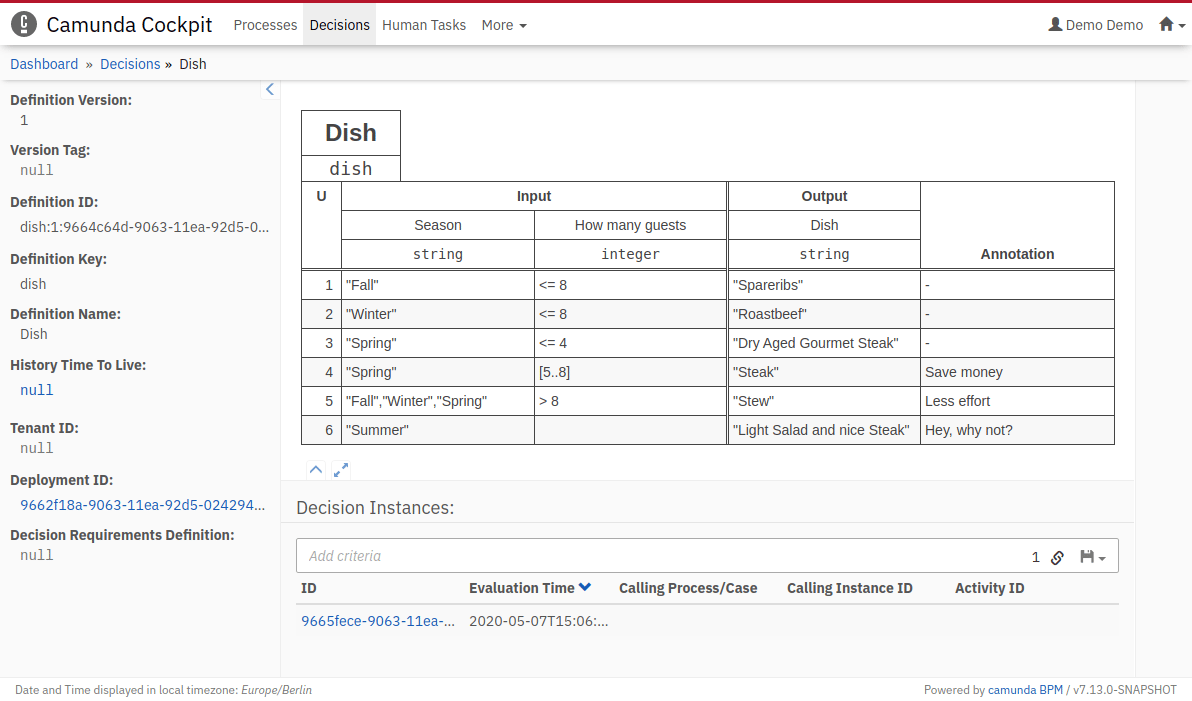
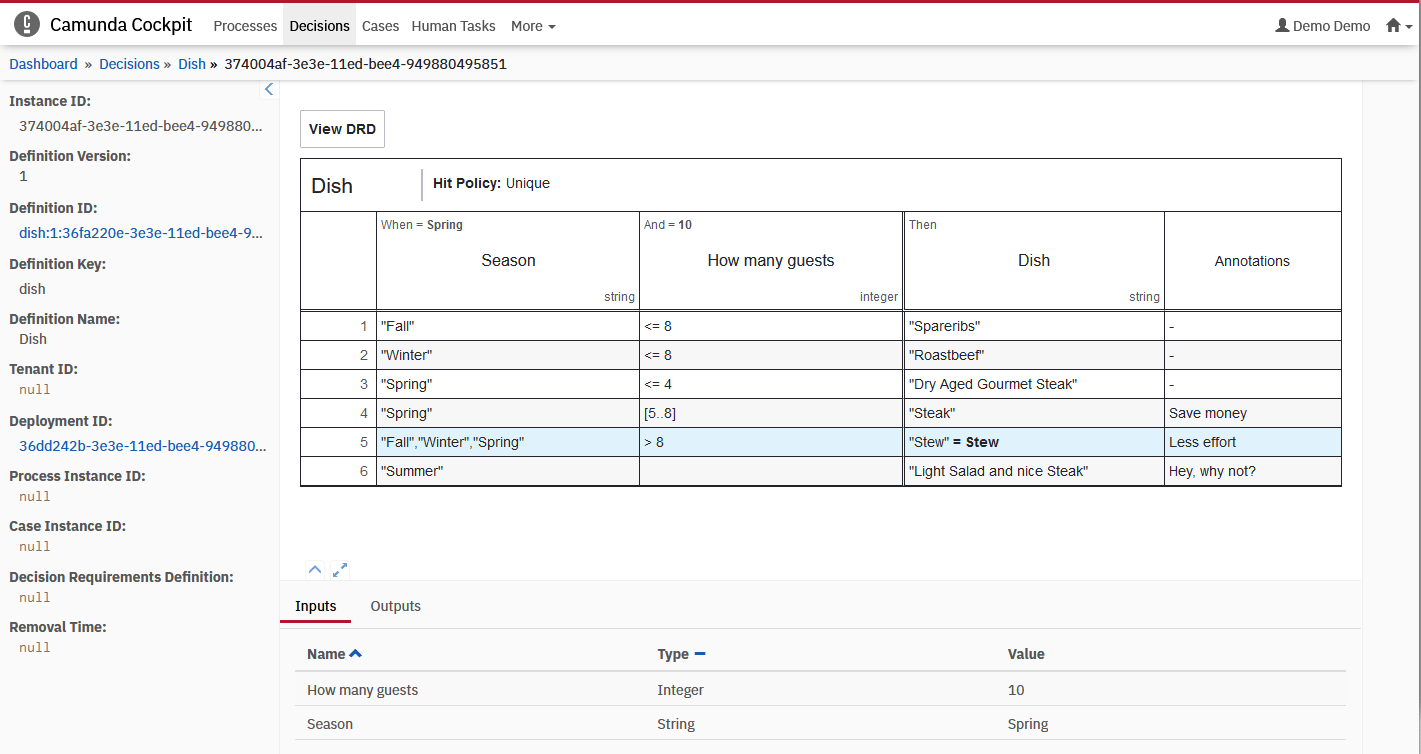
Select the Dish decision to open a dialog displaying when the decision table was evaluated. Decision overview in Cockpit Clicking the ID reveals the evaluation’s historical data. Matched rules are highlighted, with input and output values presented in a table. Decision evaluation history in Cockpit Confirm that the 5th rule matched and Stew appears as the desired dish output value.
Next steps

You’ve successfully established a project featuring your first DMN decision table. Consider these follow-up activities: