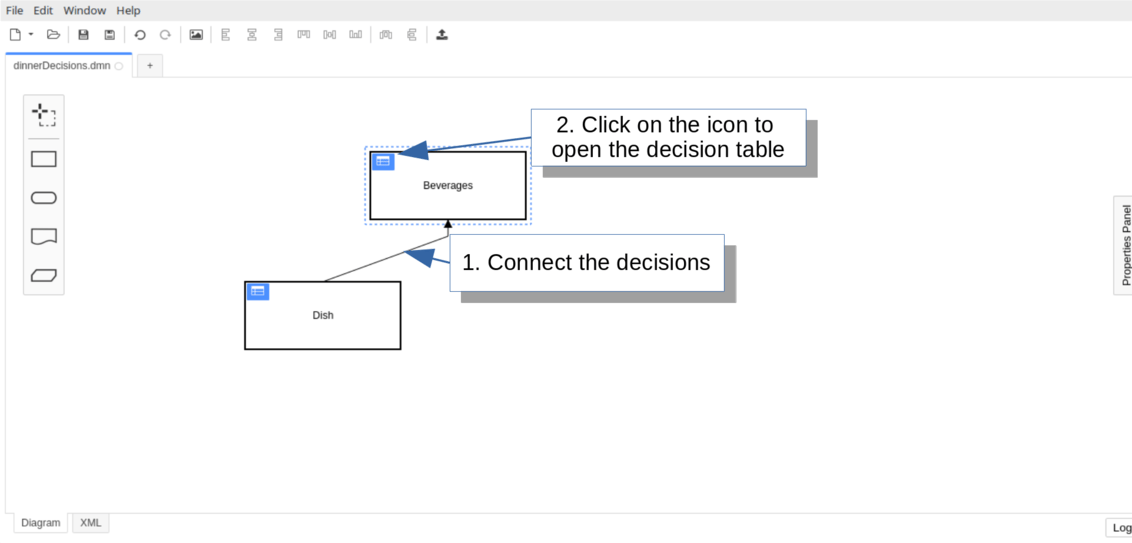
The visual representation of a Decision Requirements Graph (DRG) is called a Decision Requirements Diagram (DRD).
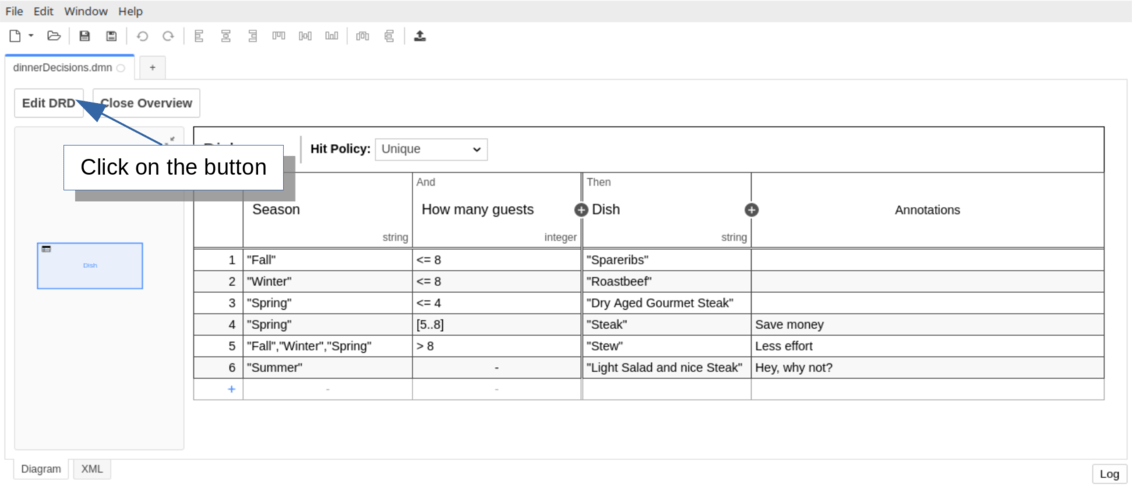
Switch from decision table to DRD
Open the existing Dish decision table and click View DRD to access the Decision Requirements Diagram view, which displays a single decision named Dish.
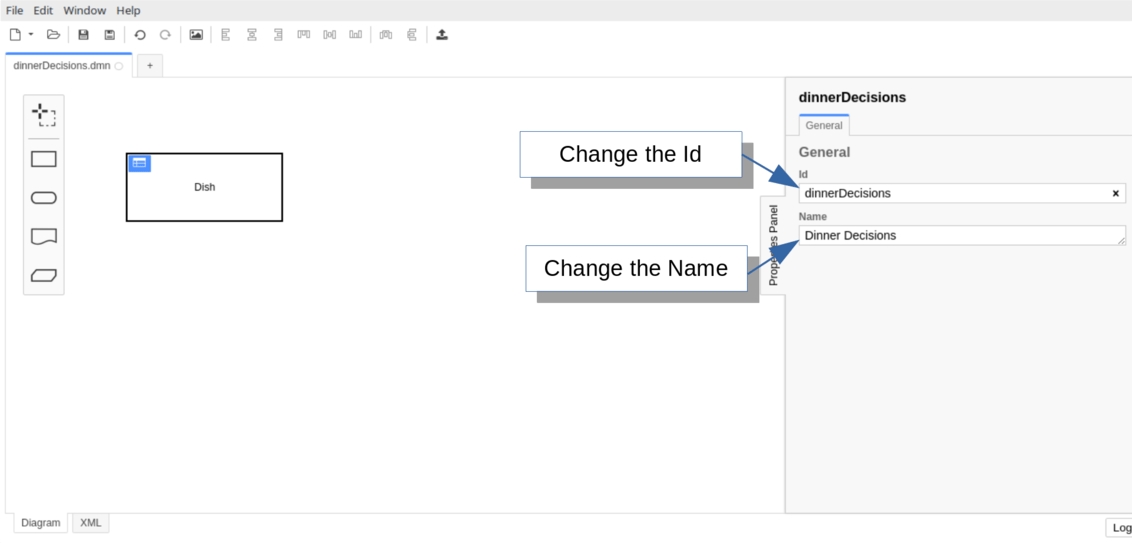
Set the name and the id of the DRD
Click the canvas and open the properties panel. Update the id to dinnerDecisions and the name to Dinner Decisions.
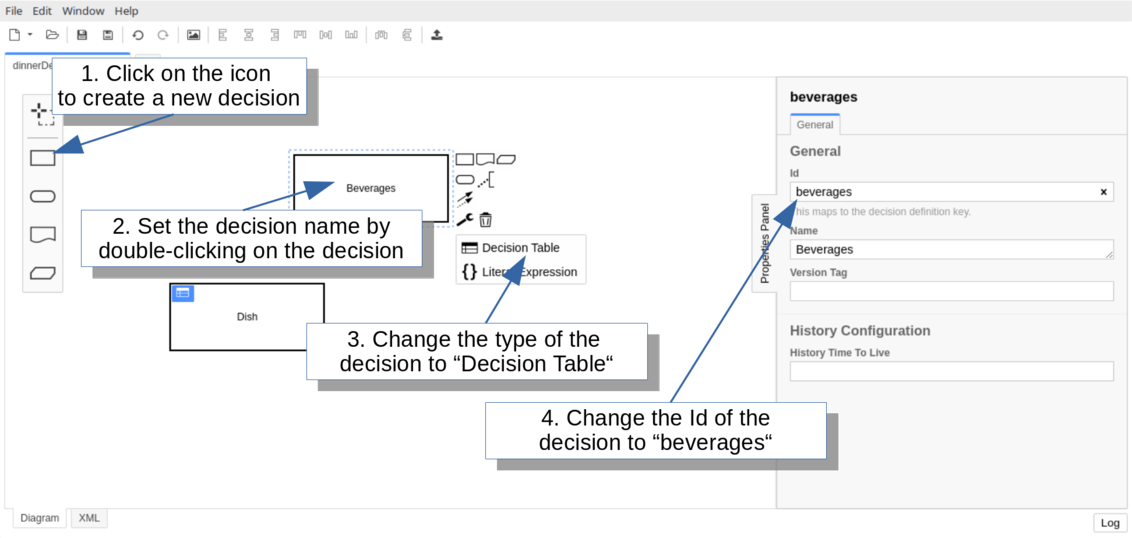
Create a new decision in the DRD
Select the decision icon from the palette to add a new decision. Name it Beverages and set its type to Decision Table using the wrench icon. Configure the id as beverages via the properties panel.
Connect the Dish decision to Beverages to indicate that Dish is a required decision providing input for the beverages evaluation.
Set up the Beverages decision table with:
- Input: Dish (expression:
desiredDish, type: string)
- Input: Guests with children (expression:
guestsWithChildren, type: boolean)
- Output: Beverages (name:
beverages, type: string)
- Hit Policy: COLLECT (with LIST operator)
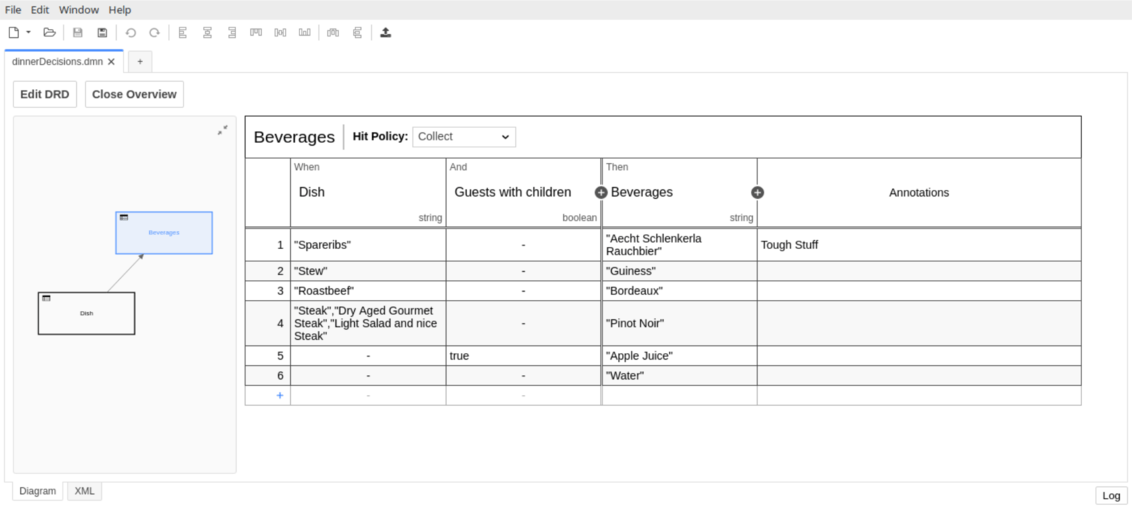
Save your changes and replace the DMN file in src/main/resources.
Catch up: get the sources of Step-5git clone https://github.com/camunda/camunda-get-started-dmn.git
git checkout -f Step-5
Or download as a .zip.
Evaluate the decision
Extend the application class to evaluate the Beverages decision by adding a guestsWithChildren variable:
package org.camunda.bpm.getstarted.dmn;
@ProcessApplication("Dinner App DMN")
public class DinnerApplication extends ServletProcessApplication
{
protected final static Logger LOGGER = Logger.getLogger(DinnerApplication.class.getName());
@PostDeploy
public void evaluateDecisionTable(ProcessEngine processEngine) {
DecisionService decisionService = processEngine.getDecisionService();
VariableMap variables = Variables.createVariables()
.putValue("season", "Spring")
.putValue("guestCount", 10)
.putValue("guestsWithChildren", false);
DmnDecisionTableResult dishDecisionResult = decisionService.evaluateDecisionTableByKey("dish", variables);
String desiredDish = dishDecisionResult.getSingleEntry();
LOGGER.log(Level.INFO, "\n\nDesired dish: {0}\n\n", desiredDish);
DmnDecisionTableResult beveragesDecisionResult = decisionService.evaluateDecisionTableByKey("beverages", variables);
List<Object> beverages = beveragesDecisionResult.collectEntries("beverages");
LOGGER.log(Level.INFO, "\n\nDesired beverages: {0}\n\n", beverages);
}
}
Catch up: get the sources of Step-6git clone https://github.com/camunda/camunda-get-started-dmn.git
git checkout -f Step-6
Or download as a .zip.
Build and deploy the web application
Build with Maven and replace dinner-dmn-0.1.0-SNAPSHOT.war in $CAMUNDA_HOME/server/apache-tomcat/webapps.
Check the Tomcat log for successful deployment indicators:
INFO org.camunda.commons.logging.BaseLogger.logInfo
ENGINE-07015 Detected @ProcessApplication class 'org.camunda.bpm.getstarted.dish.DishApplication'
INFO org.camunda.commons.logging.BaseLogger.logInfo
ENGINE-08024 Found processes.xml file at ../webapps/dinner-dmn-0.1.0-SNAPSHOT/WEB-INF/classes/META-INF/processes.xml
INFO org.camunda.commons.logging.BaseLogger.logInfo
ENGINE-08023 Deployment summary for process archive 'dinner-dmn':
dinnerDecisions.dmn
INFO org.camunda.bpm.getstarted.dmn.DinnerApplication.evaluateDecisionTable
Desired dish: Stew
INFO org.camunda.bpm.getstarted.dmn.DinnerApplication.evaluateDecisionTable
Desired beverages: [Guiness, Water]
INFO org.camunda.commons.logging.BaseLogger.logInfo
ENGINE-08050 Process application Dinner App DMN successfully deployed
Verify the evaluation with Cockpit
Open Cockpit and navigate to the Decisions section.
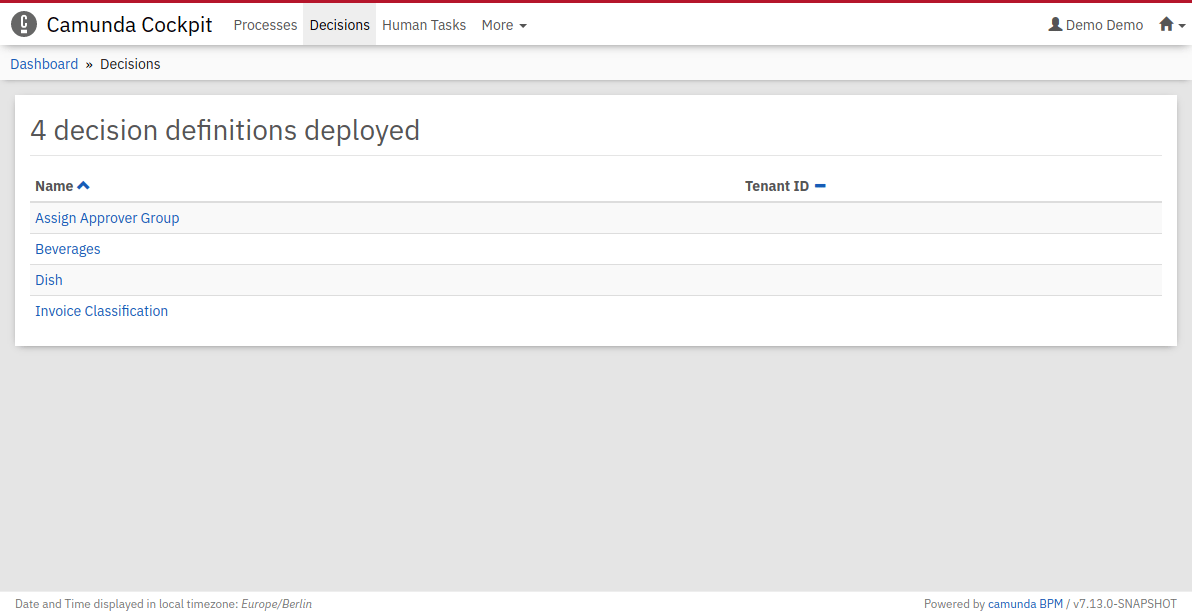
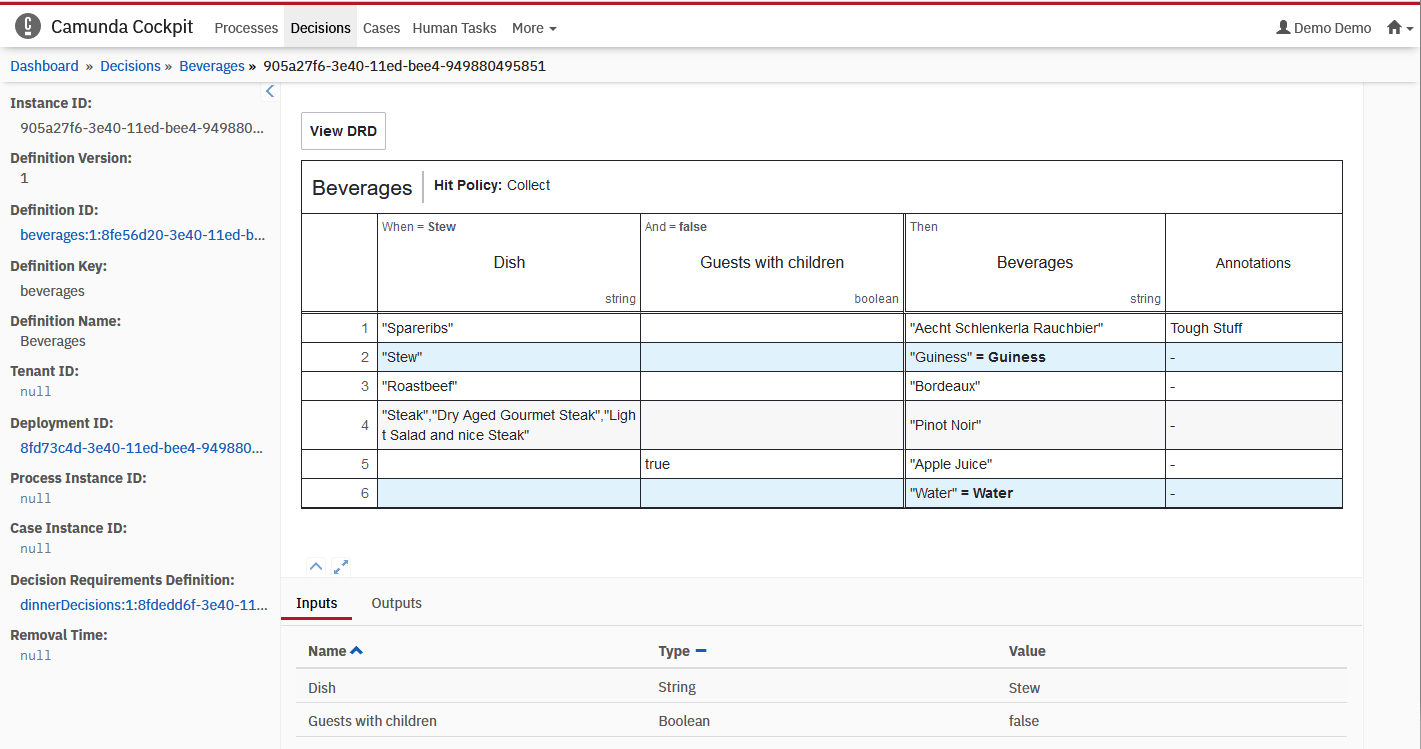
Click the Beverages decision and select an id to review the historic evaluation data.
Verify that both rules matched, producing beverages outputs of Guiness and Water. Note that the Dish decision evaluates as part of the Beverages evaluation, providing Stew for the desiredDish input.
Next steps