Add two gateways
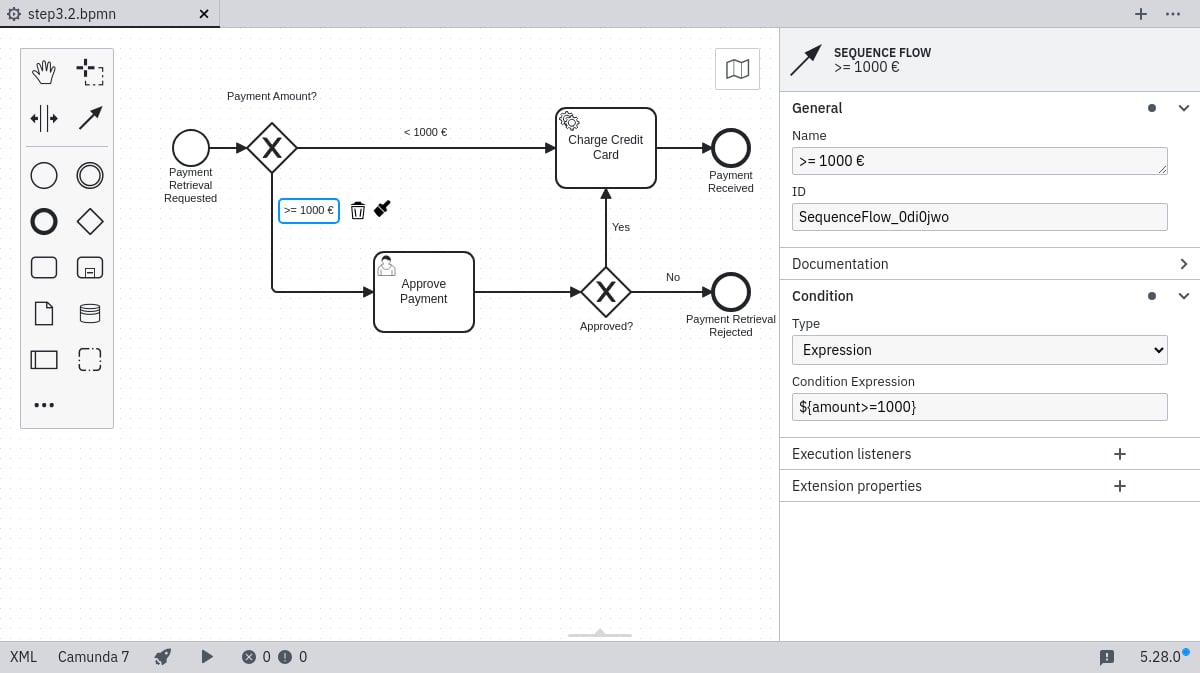
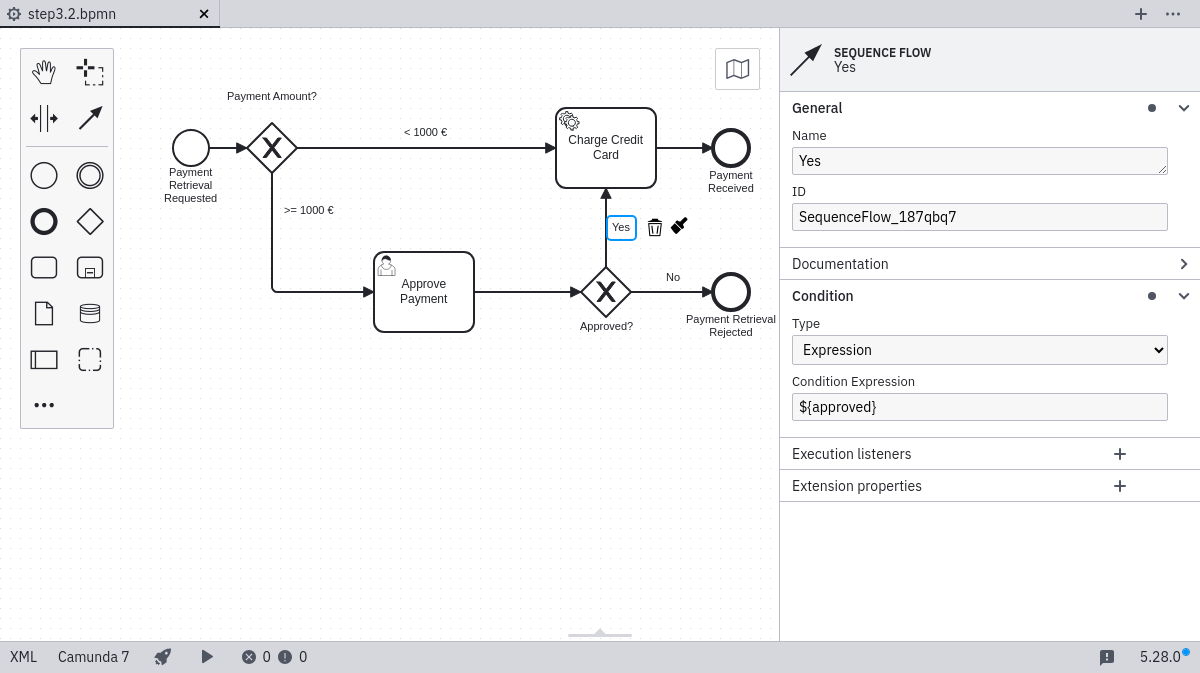
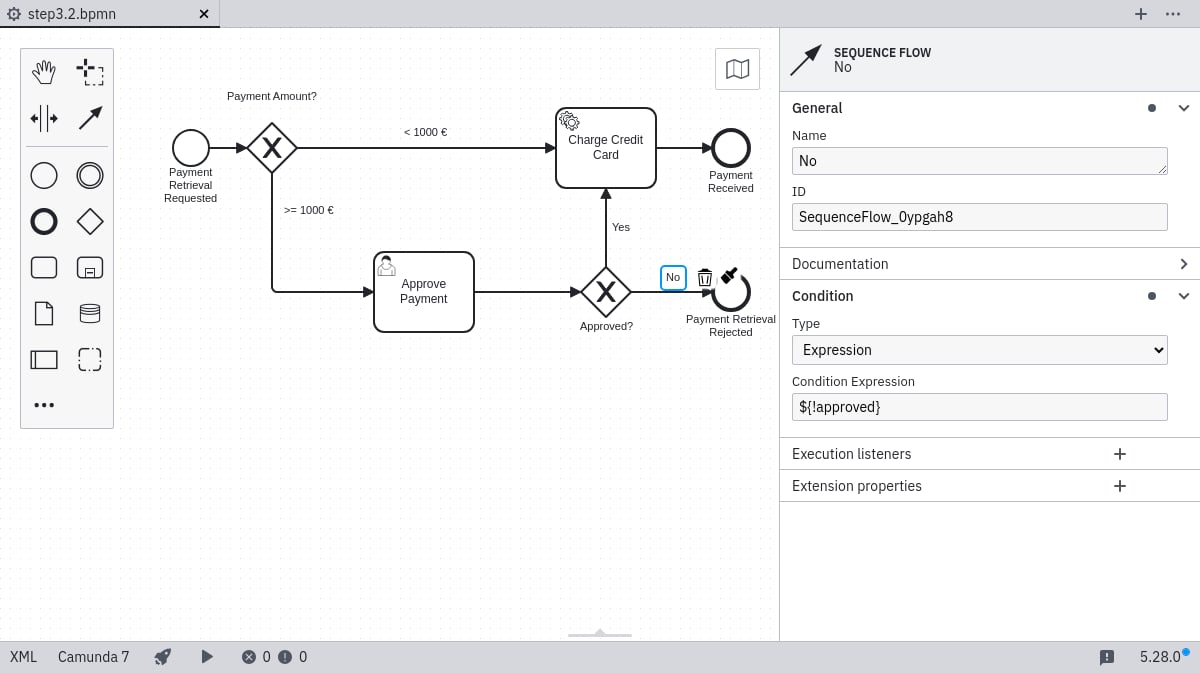
Open your process in the Camunda Modeler. Insert a gateway (diamond shape) between the start event and the service task. Position a second gateway after the user task. Adjust the sequence flows to connect these elements appropriately.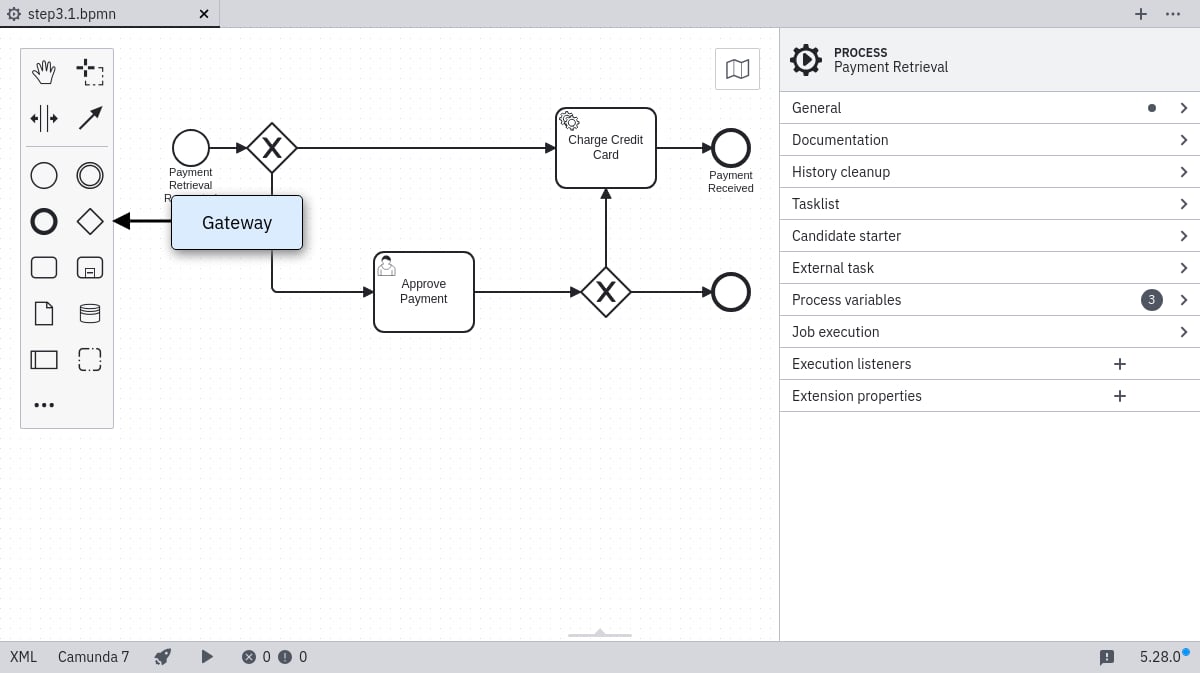
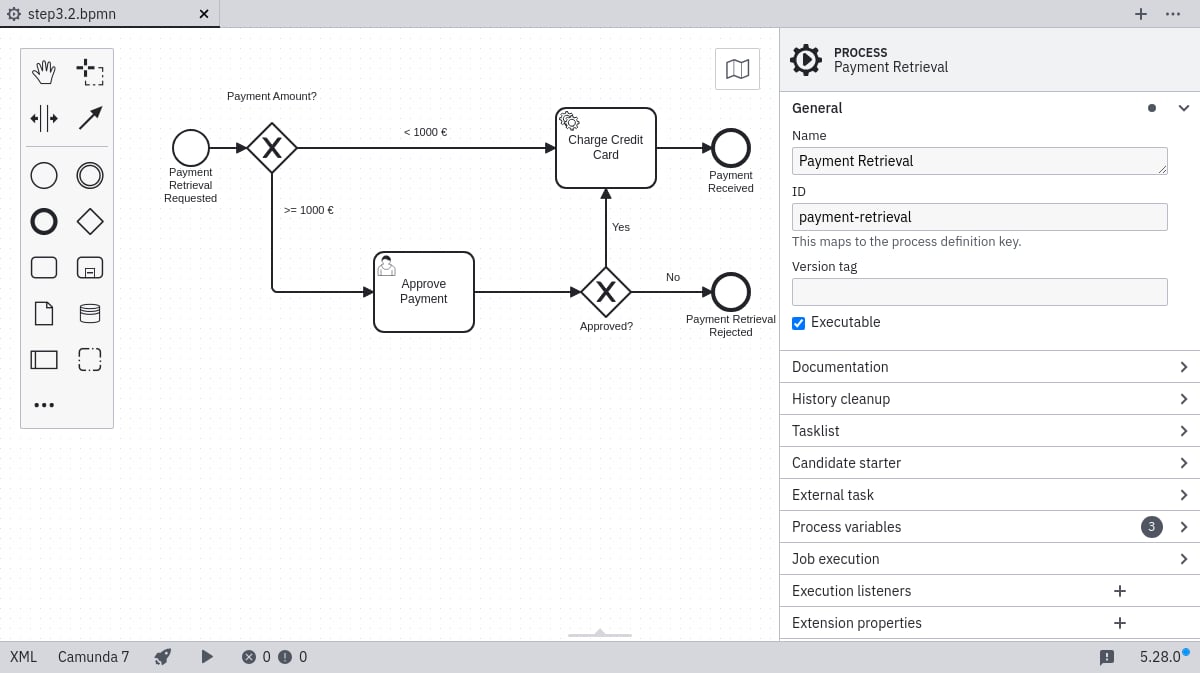
Configure the gateways
Select each outgoing sequence flow and configure its condition in the properties panel:<1000 € flow — set Condition Type to Expression and enter ${amount<1000}:
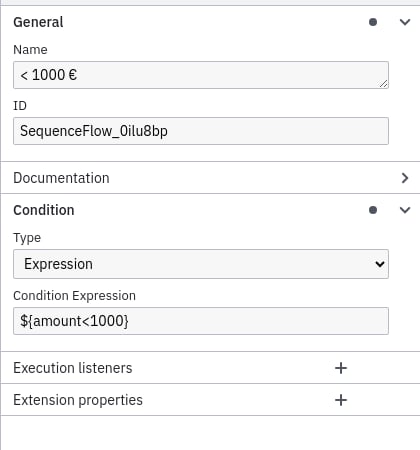
>=1000 € flow — ${amount>=1000}:
Yes flow — ${approved}:
No flow — ${!approved}:
Deploy the process
Use the deploy button in the Camunda Modeler to publish your updated process.Work on the task
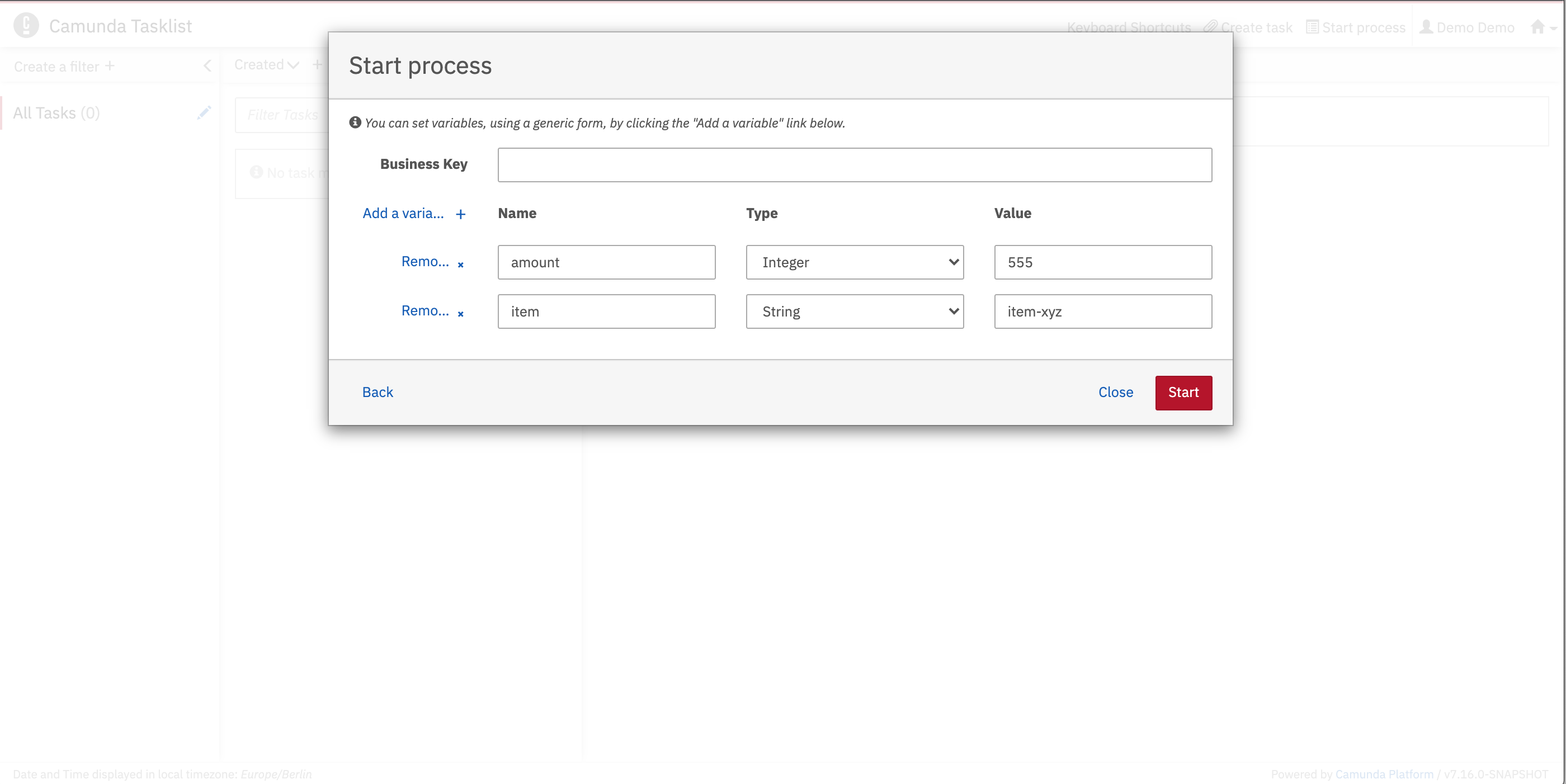
Navigate to Tasklist athttp://localhost:8080/aseeflow/app/tasklist/ and authenticate with the demo credentials. Start a new instance and set variables via the generic form, using an amount ≥ 1000 to trigger the approval task.