

- Embedded Task Forms allow you to embed custom HTML and JavaScript forms into Tasklist.
- Camunda Forms offer visual editing of forms in the Camunda Modeler and can be used for less complex forms. Camunda Forms are the only form type that can be referenced either by Form Key or by Form Reference.
- External Task Forms can be used to link to custom applications. The Form will not be embedded in Tasklist.
Form Key details
Form keys that are used in Tasklist have the structureFORM-TYPE:LOCATION:FORM.NAME.
| Name | Description |
|---|---|
| FORM-TYPE | Can be embedded or camunda-forms depending on the form type. If no type is set, the form will be shown as an External Task Form. |
| LOCATION | Can be either deployment or app:
|
| FORM.NAME | The file name and path in the deployment, e.g. forms/startFrom.html |
Embedded Task Forms
Embedded task forms are HTML and JavaScript forms. We provide more information about the creation of embedded forms in our Embedded Task Forms Reference. To add an embedded form to your application, simply create an HTML file and refer to it from a UserTask or a StartEvent in your process model. For example, you can create aFORM_NAME.html file containing the relevant content for your form, e.g., a simple form with two input fields:
embedded:deployment:FORM_NAME.html or embedded:app:forms/FORM_NAME.html.
Camunda Forms
Camunda Forms are created as separate files using the Camunda Modeler and can be deployed together with the process models. The form schema is stored in.form files.
You can find out how to build Camunda Forms in the Camunda Modeler documentation or refer to the Camunda Forms Reference to explore all configuration options for form elements.
Process variables are mapped to form fields where the field’s key matches the variable name.
Form Reference
With Form References, Camunda Forms provide a flexible way of linking an element in a BPMN diagram to a form. To link a BPMN element (StartEvent or UserTask) to a Camunda Form, you have to specify the Id of the Camunda Form as thecamunda:formRef attribute. Additionally, the camunda:formRefBinding attribute specifies which version of the Camunda Form to reference.
Valid values are:
deployment, which references the Camunda Form with the given key that was deployed with the same deployment as the referencing process.latest, which will refer to the latest deployed version of the Camunda Form.version, which allows you to specify a specific version to be referenced from the BPMN element with thecamunda:formRefVersionattribute.
camunda:formRef and camunda:formRefVersion can be specified as an expression which will be evaluated on execution of the task or start event.
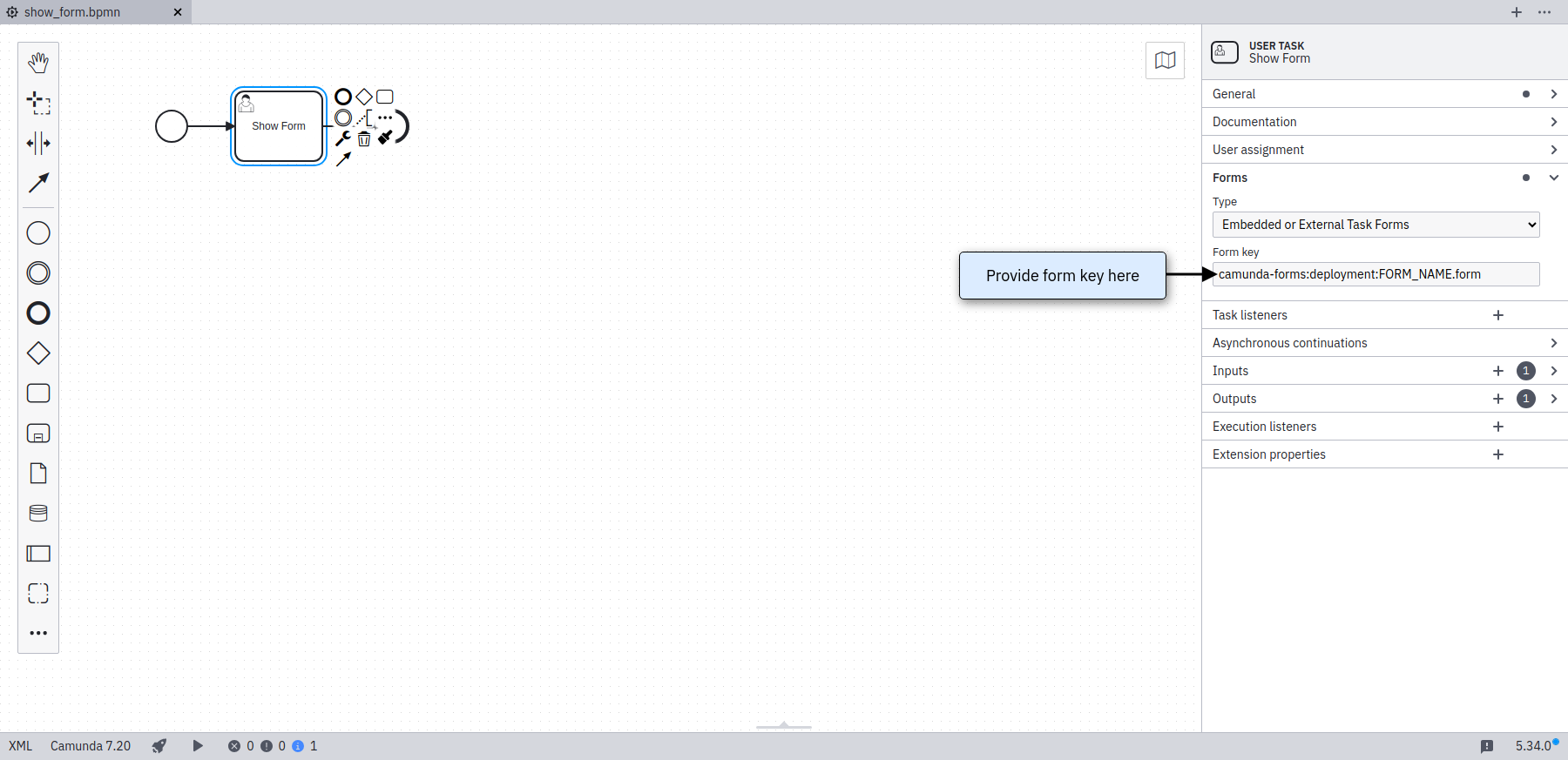
Form Key
Aa an alternative toformRef you can reference a Camunda Form file with a deployment or app form key:
camunda-forms:deployment:FORM_NAME.formcamunda-forms:app:forms/FORM_NAME.form
formKey in the Modeler, you have to select Embedded or External Task Forms as Type in the dropdown.
From the form developers point of view, formRef offers more flexibility than formKey as they can be deployed independently from the process model.
Process Variable Binding
To define a default value for a form field, a process variable with the same name as the form field key needs to be defined. Local variables (e.g. created by defining an Input Parameter for the User Task) take precedence over process variables.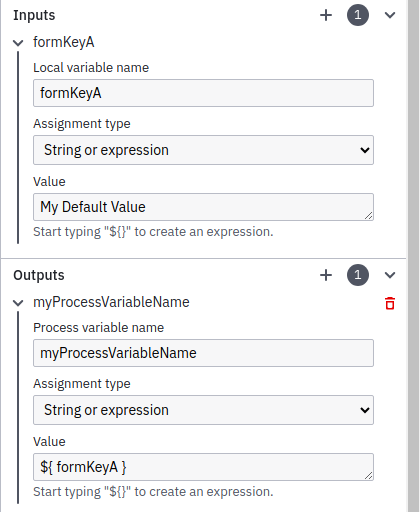
- When a process variable with the same name as the form field key already existed, then its value will be overwritten by the form submission.
- When the User Task has an Input Parameter defined with the same name as the form field key, then this local variable will be used. In this case, an Output Parameter needs to be defined to map the local variable to a process variable for usage in other process elements.
- When no variable exists with the same name as the form field key, then a new process variable will be created and gets the value from the submission.
Dynamic Components
You can bind the available options of some component types (Select, Radio Buttons, Checklist, and Taglist) to a variable. Like this, Camunda Forms show available options dynamically based on process data (variables). To bind a variable to a dynamic component, define its name in Camunda Modeler’s form builder in the Properties Panel under Options Source -> Type -> Input Data -> Dynamic options -> Input values key for the respective component. Camunda Forms support the following variable types that can represent JSON:JsonObjectwith theserializationDataFormat: application/json
Deployment
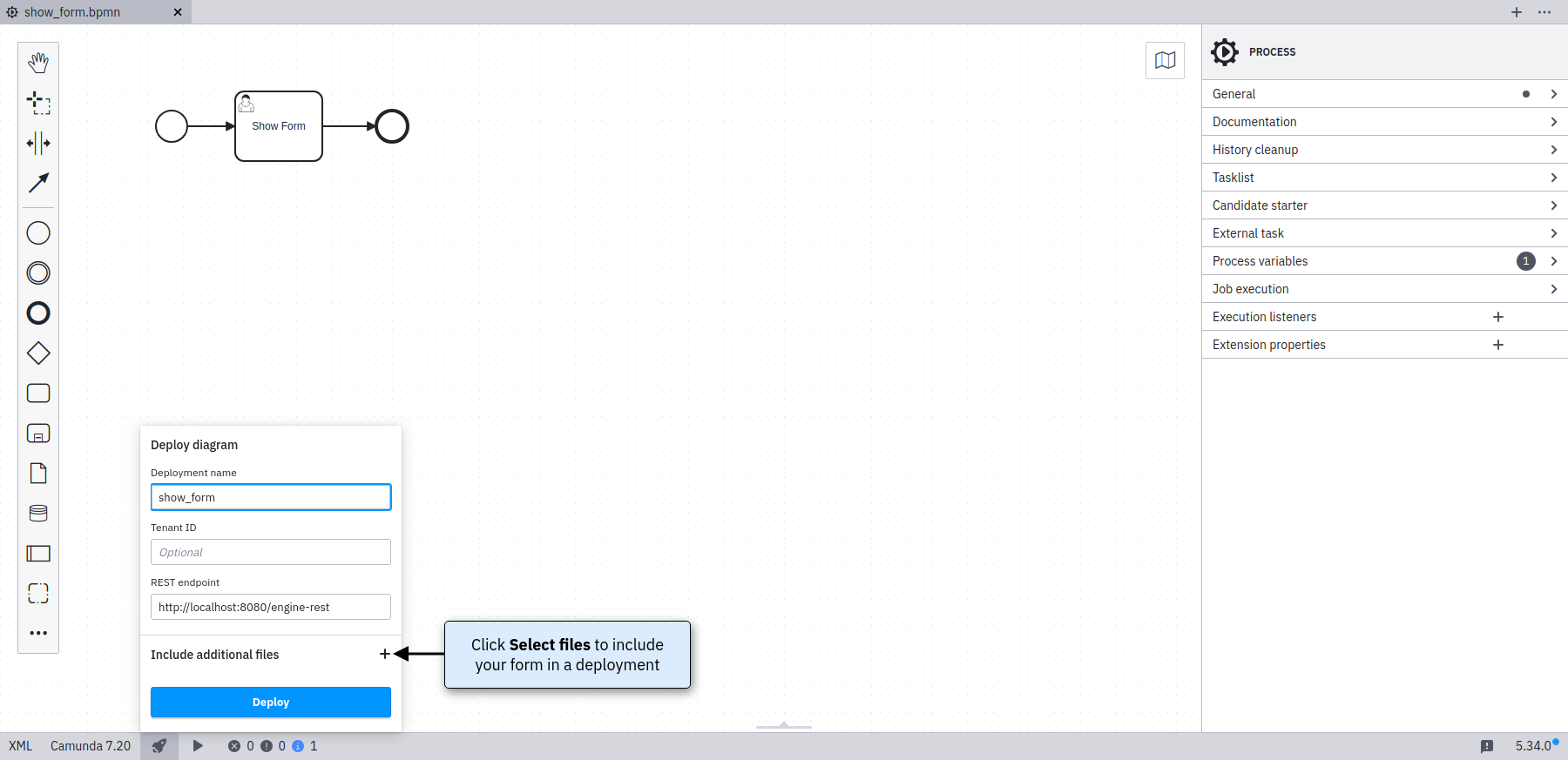
If you want to include your Camunda Form as part of thedeployment, then you need to deploy the .form file in the same deployment as the respective .bpmn diagram - for example using the Camunda Modeler (since Modeler Version 5.0.0).
External Task Forms
FORM_NAME.html as form key. The relevant XML tag looks like this:
Other Task Forms
These Task forms do not use the form-key attribute to be referenced. They are not recommended for production use and are intended for testing and development purposes.Generic Task Forms
The generic form will be used whenever you have not added a dedicated form for a UserTask or a StartEvent.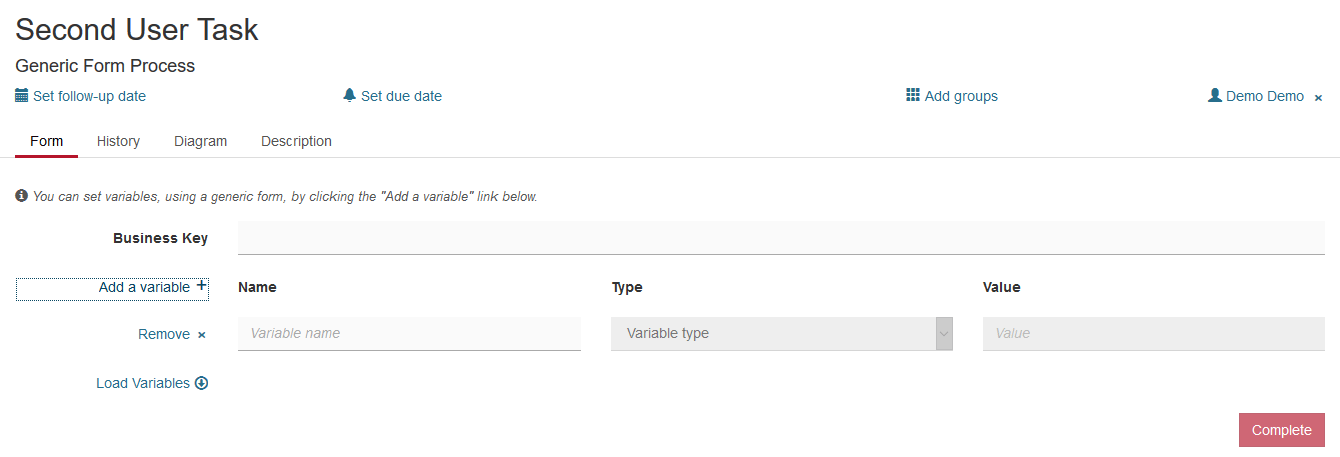
Generated Task Forms
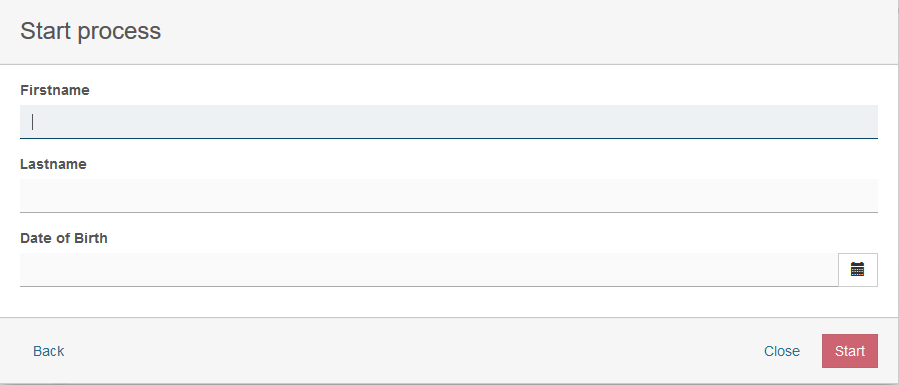
<camunda:formData ... /> element is provided as a child element of the BPMN <extensionElements> element. Form metadata consists of multiple form fields which represent individual input fields where a user has to provide some value or selection.
A form data can have following attributes:
| Attribute | Explanation |
|---|---|
| businessKey | Id of a form field that will be marked as cam-business-key |
Form Fields
A form field can have the following attributes:| Attribute | Explanation |
|---|---|
| id | Unique id of the form field, corresponding to the name of the process variable to which the value of the form field is added when the form is submitted. |
| label | The label to be displayed next to the form field. |
| type | The data type of the form field. The following types are supported out of the box:
|
| defaultValue | Value to be used as a default (pre-selection) for the field. |
Form Field Validation
Validation can be used for specifying frontend and backend validation of form fields. ASEE Flow provides a set of built-in form field validators and an extension point for plugging in custom validators. Validation can be configured for each form field in the BPMN 2.0 XML:| Validator | Explanation |
|---|---|
| required | Applicable to all types. Validates that a value is provided for the form field. Rejects ‘null’ values and empty strings. |
| minlength | Applicable to |
| maxlength | Applicable to |
| min | Applicable to numeric fields. Validates the minimum value of a number. Accepts ‘null’ values. |
| max | Applicable to numeric fields. Validates the maximum value of a number. Accepts ‘null’ values. |
| readonly | Applicable to all types. Makes sure no input is submitted for the given form field. |
org.camunda.bpm.engine.impl.form.validator.FormFieldValidator interface: