Enterprise FeaturePlease note that this feature is only included in the enterprise edition of ASEE Flow, it is not available in the community edition.
Search
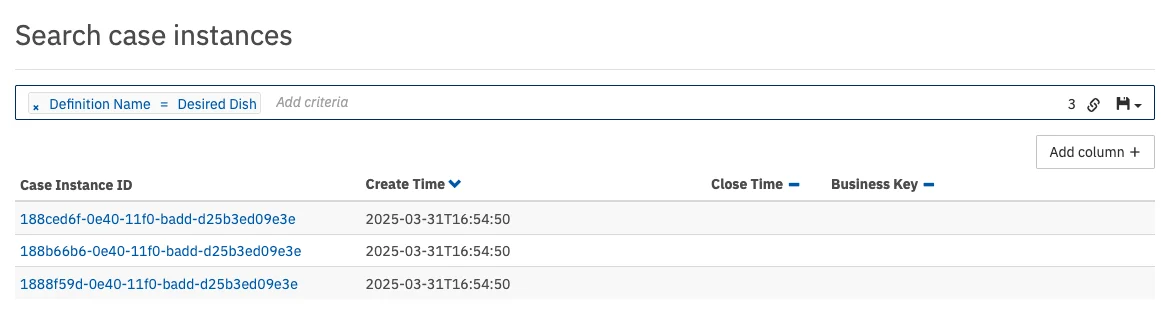
like, which allows searching for case instances where the entered value is a substring of the property value. To search for case variables, you also have to enter the variable name you want to search for.
To search for a variable of type string, which has a numeric, boolean or null value, you have to wrap the value in single quotes (e.g., '93288' or 'NULL').
To add additional columns to the details of the search results, click on the ‘Add column’ button and select the desired details in the drop down menu that appears.
Furthermore, you can copy a link to the current search query to your clipboard by clicking on the button and you can save search queries to your local browser storage by clicking on the button and inserting a name in the drop down menu that appears. You can then retrieve the search query by clicking on the button and selecting the chosen name in the drop down menu.
Heads-up!The case instance search operates on the history endpoint of the engine. In case the requested historic data is not persisted to the database, then the search does not deliver the desired results.
Deployed Cases